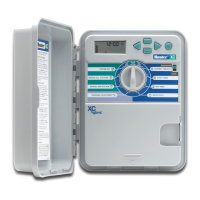
HUNTER PRO C / PCC TROUBLESHOOTING GUIDE
Electrical noise is entering the
system.
Check the SmartPort® wiring
harness. If the wires were extended
then they will need to be replaced
with shielded cable. Contact your
local distributor for information on
shielded cable.
The display reads “P ERR”.
There is a fault in the wire to the
pump start or master valve.
Check the master valve or pump
start wire for continuity. Replace or
repair the shorted wire. Check that
all wire connections are good and
water tight.
The display reads a station
number and ERR, such as “2
ERR”.
There has been a fault with the wire
leading to that station.
Check the station wire for continuity.
Replace or repair shorted wire.
Check that all wire connections are
good and water tight.
The display reads “NO AC”.
There is no AC power present (the
controller is not receiving power).
Check to see if the transformer is
properly installed.
The display reads “SENSOR
OFF”.
The rain sensor is interrupting
irrigation or the sensor jumper is not
installed.
Slide the Rain Sensor switch on front
panel to the BYPASS position to
bypass rain sensor circuit, or install
the sensor jumper.
Rain sensor will not shut off
system.
Incompatible rain sensor or the
jumper was not removed when
sensor was installed.
Make sure sensor is micro-switch
type such as Mini-Clik® (Rain Bird®
Rain Check is not this type and will
not work). Check that the jumper has
been removed from the SEN
terminals.
The controller recognizes 12
stations all the time.
Make sure AC power is connected.


 To Next Page
 Loading...