APPENDIX SECTION 9. 14
VER.V09F
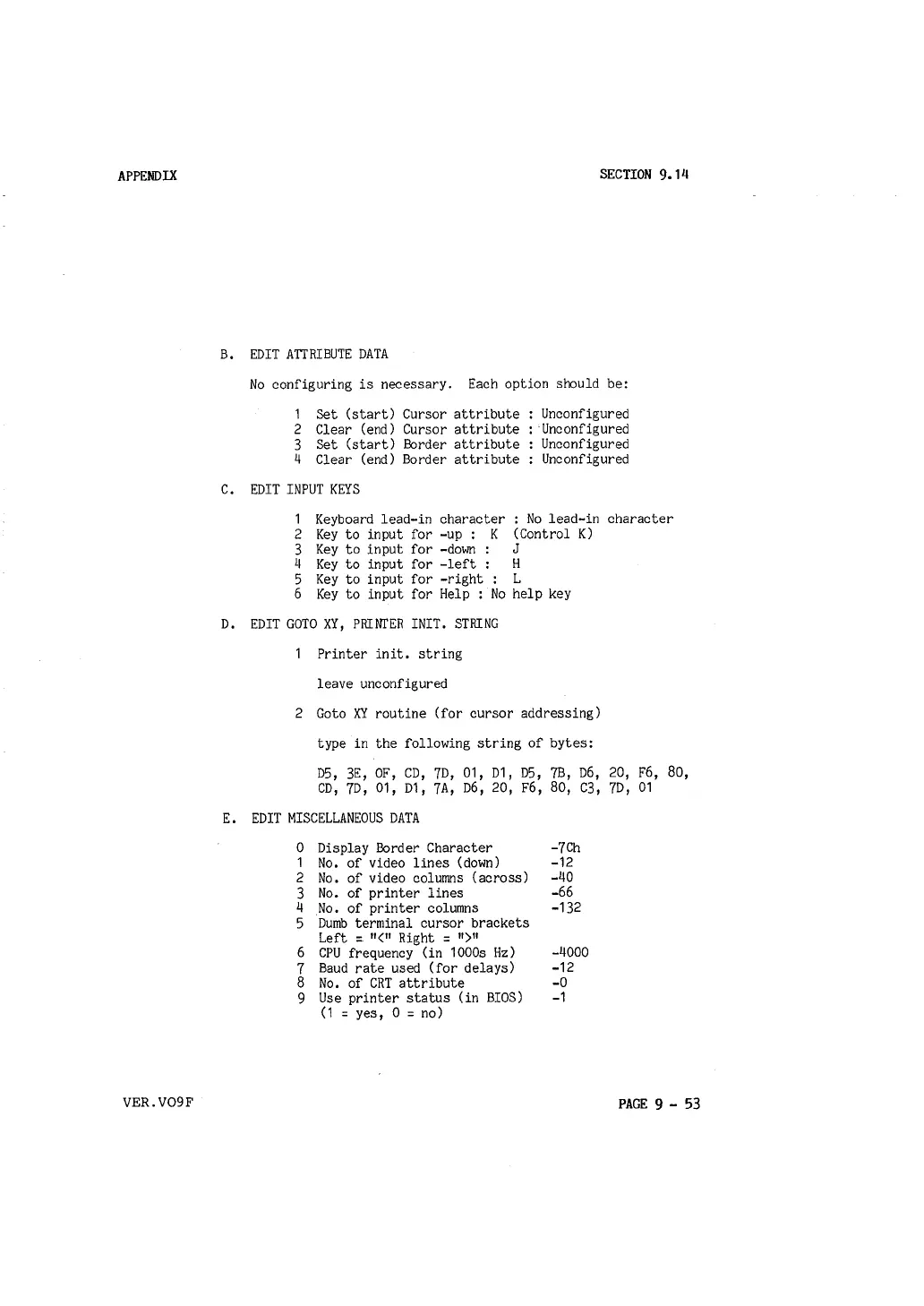
B. EDIT ATTRIBUTE DATA
No configuring is necessary. Each option should be:
1 Set (start) Cursor attribute
2 Clear (end) Cursor attribute
3 Set (start) Border attribute
4 Clear (end) Border attribute
C. EDIT INPUT KEYS
Unconfigured
Unconfigured
Unconfigured
Unconfigured
1 Keyboard lead-in character : No lead-in character
2 Key to input for -up: K (Control K)
3 Key to input for -down :
J
4 Key to input for -left : H
5 Key to input for -right : L
6 Key to input for Help : No help key
D. EDIT GOTO XY, PRINTER INIT. STRING
Printer init, string
leave unconfigured
2 Goto
XY routine (for cursor addressing)
type in the following string of bytes:
D5, 3E, OF, CD, 7D, 01, D1, D5, 7B, D6, 20, F6, 80,
CD, 7D, 01, D1, 7A, D6, 20, F6, 80, C3, 7D, 01
E. EDIT MISCELLANEOUS DATA
0 Display Border Character
1 No, of video lines (down)
2 No, of video columns (across)
3 No. of printer lines
4 No. of printer columns
5 Dumb terminal cursor brackets
Left :
11
<
11
Right :
11
)
11
6 CPU frequency (in 1000s Hz)
7 Baud rate used (for delays)
8 No. of CRT attribute
9 Use printer status (in BIOS)
(1
= yes, 0 = no)
-7Ch
-12
-40
-66
-132
-4000
-12
-0
-1
PAGE 9 - 53



 To Next Page