STE2
35
Connecting STE2 to the SensDesk portal
3
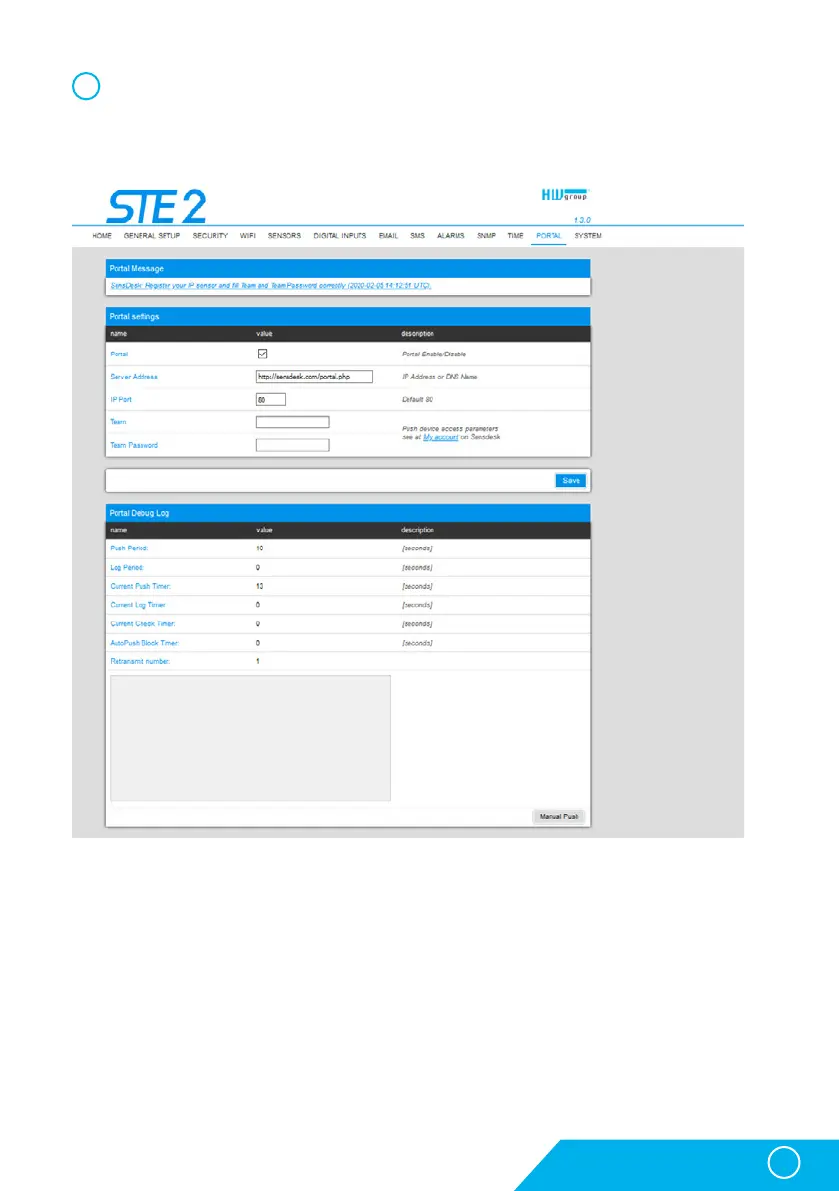
Tick the Enable Portal option and save the changes using the Save button in the bottom
right corner of the window. Then click the Manual Push button in order to activate the portal
function. Instead of “Portal disabled”, a link SensDesk.com: register your IP sensor should
appear in the Portal Message field. Click this link in order to get to the SensDesk.com portal.



 To Next Page