HW group
36
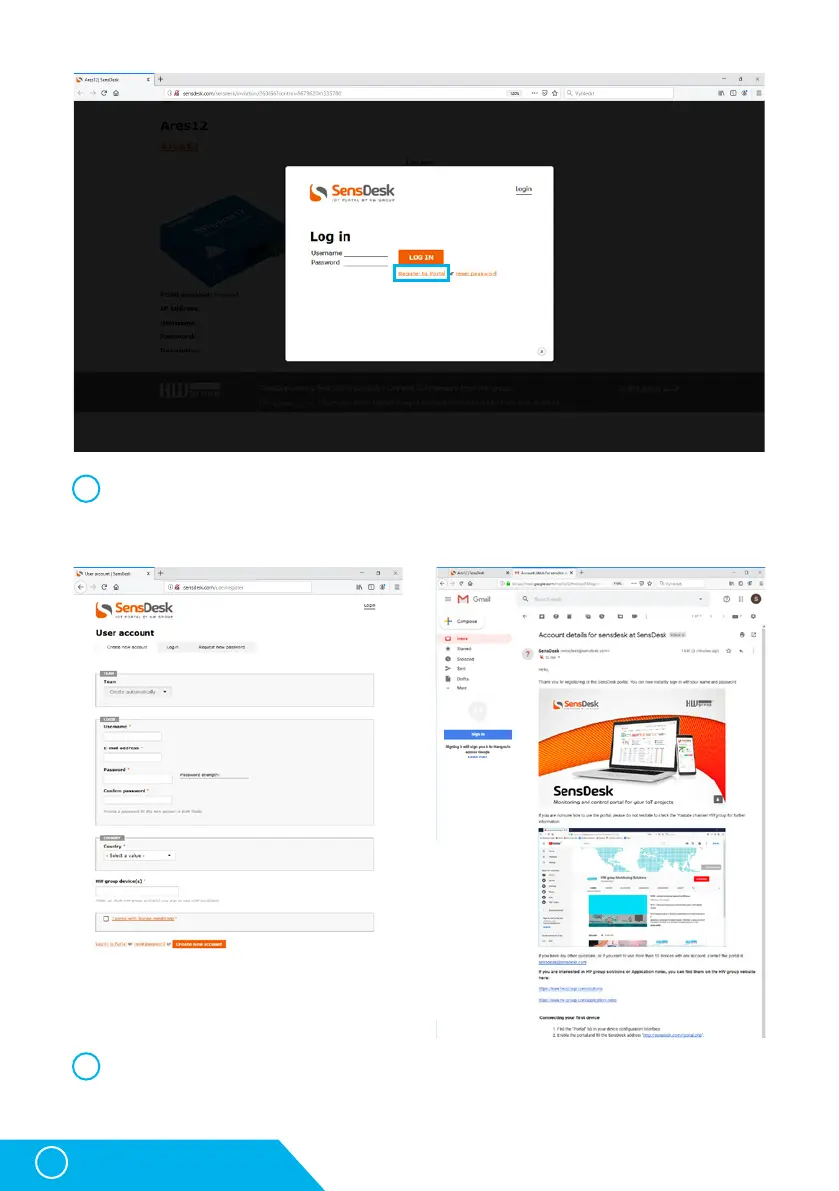
In case you already have a user account, please enter your login details and the device
will be automatically assigned to your account. If you do not have a SensDesk account yet,
click the Register and a registration form will be shown.
Enter the login details for your new account and a correct e-mail address. This e-mail
address has to be unique for the server (cannot be already registered by another user).
4
5
STE2 – User Manual



 To Next Page