7.2
BUNDLING OPTION
The bundling clamps can be used to supplement the infeed, outfeed, and barfeed vises by clamping down on the work
piece from above. They work in conjunction with their associated vise when the “Bundling Close” push button is activated
before entering AUTO MODE (The light on the push button will be on).
As the name implies, they are primarily used to clamp work pieces made of bundles of smaller material. For simple, non-
bundled work pieces, the bundling clamps are not usually needed. They need to moved out of the way when the bundled
material is to be top loaded.
BUNDLING HEIGHT RESTRICTIONS
The allowable height of a bundle will decrease with the head swung towards the infeed side of the machine. The bundling
arm must be kept low enough to avoid interference with the head assembly. The following table can be used as a guide:
HEAD SWING BUNDLE HEIGHT
90° 20”
45° 18.5”
30° 8.5”
SHUTTLE BUNDLING
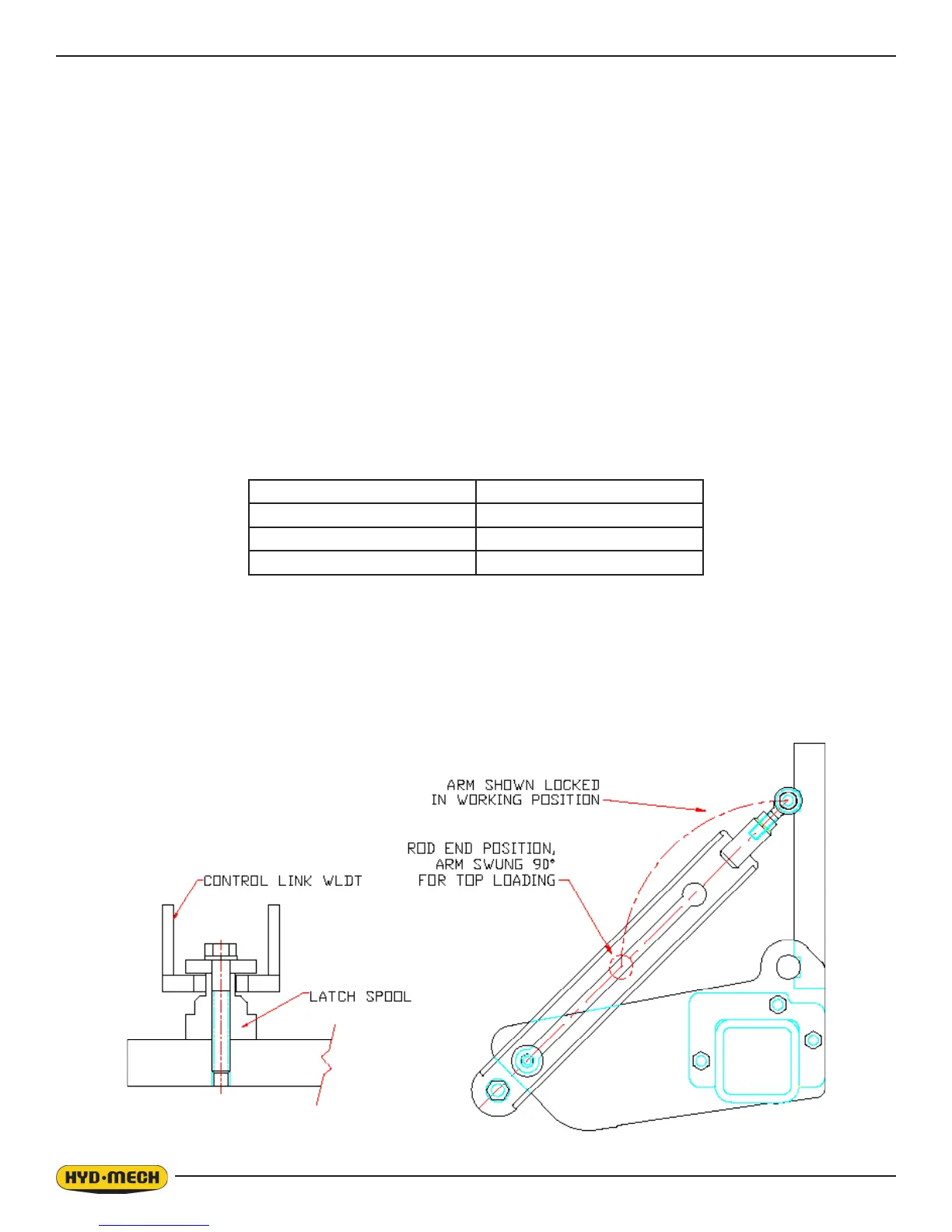
The procedure below details how to remove the shuttle bundling clamp out of the loading area of the barfeed:
NOTE: The shuttle bundling clamp will remain stationary in AUTO MODE if the “Shuttle Bundling Close” push button is
not activated (No light on the push button).
SETTING THE HEIGHT OF THE INFEED AND OUTFEED VISE BUNDLING IN AUTO MODE
The bundling opening in “Automatic Mode” can be adjusted by the “INFEED or OUTFEED BUNDLING OPEN TIME” pa-
rameter. Increasing this value will allow for a larger opening.
NOTE: Make sure that the height of the bundling arm will not create a collision with the head.


 To Next Page