H Y D R O P O O L I N D U S T R I E S
24
PROGRAMMING FILTER CYCLES
To change the factory default filter cycle settings
Press then then then within three
seconds.
(You will already have advanced to this point if you pressed
after completing the SETTING THE SYSTEM CLOCK TIME
sequence)
At this point PROGRAM, FILTER 1 and START TIME will appear on
the display
To set the hour: Press or - each press changes the
time by 1 hour.
Press to enter, and to continue to set minutes.
To set minutes: Press or - each press changes the
time by 5 minutes
Press to enter, and to proceed
At this point PROGRAM, FILTER 1 and END TIME will appear on
the display
To set the hour: Press or - each press changes the
time by 1 hour.
Press to enter, and to continue to set minutes
To set minutes: Press or - each press changes the
time by 5 minutes
Press to enter, and to proceed
At this point PROGRAM, FILTER 2 and START TIME will appear
on the display
Adjust time as above
Press to enter, and to proceed
At this point PROGRAM, FILTER 2 and END TIME will appear on
the display
Press the pad again to enter the filter cycle times into
the system and exit programming mode.
The ‘F1’ light on the left side of the topside control panel
will illuminate to indicate that the system is in Filter 1
cycle.
The ‘F2’ light on the left side of the topside control panel
will illuminate to indicate that the system is in Filter 2
cycle.
PURGE CYCLES
The system automatically activates P2 & P3 for 5 minutes,
and the blower for 30 seconds at the beginning of each
filter cycle to introduce fresh, sanitized water into these
plumbing circuits.
MODE FUNCTION
This pad is used to change hot tub operation to either
STANDARD, ECONOMY or SLEEP mode. Press to enter mode
programming and press to select the desired mode.
The LCD will flash until is pressed again to confirm the
selection.
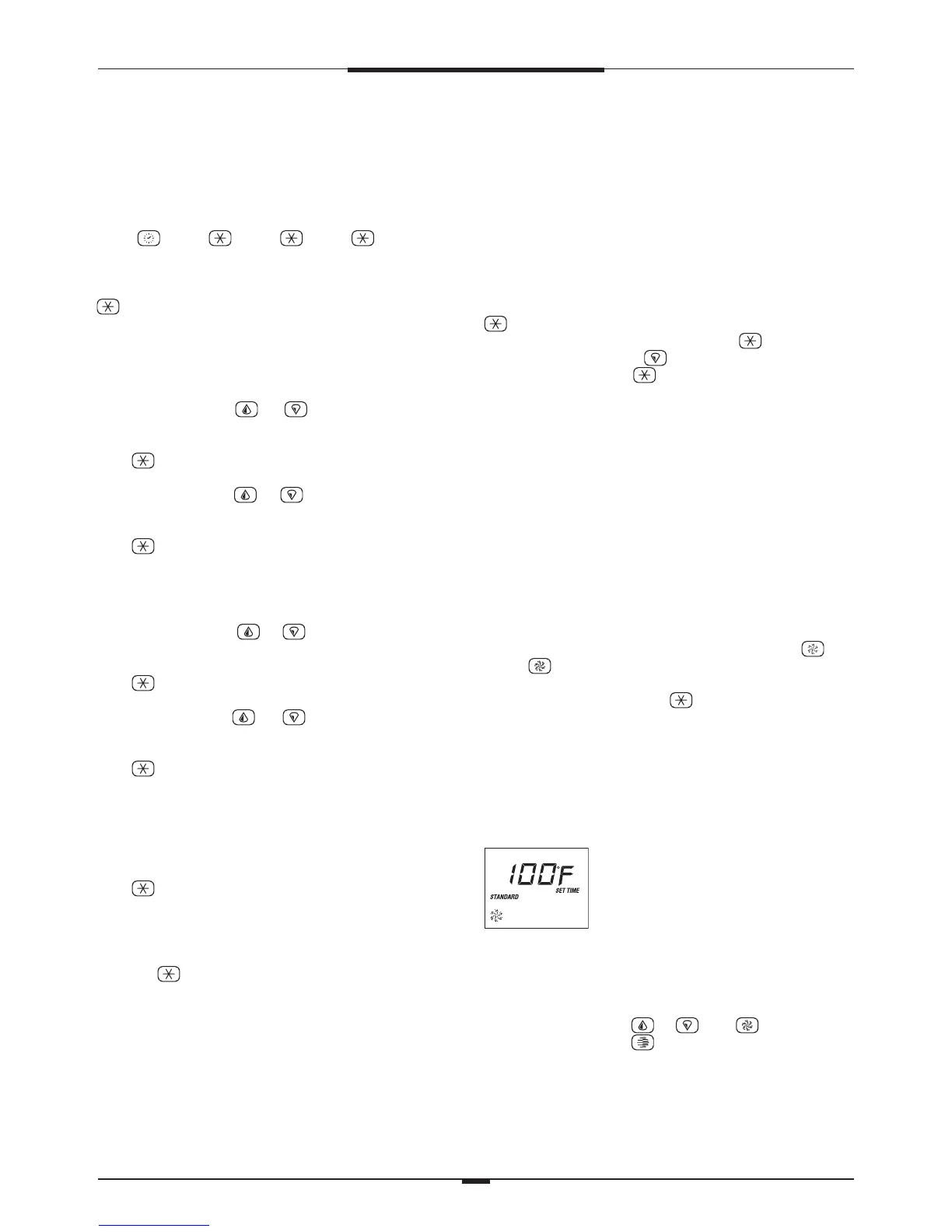
STANDARD MODE
The system automatically starts P1 low speed every 30
minutes to measure water temperature, and maintain the
set temperature. The word STANDARD will remain on the
display along with the last measured temperature. The
current water temperature is displayed only after the pump
has been operating for at least 2 minutes.
ECONOMY MODE
The system will heat to the set temperature only during the
filter cycles. The display will show the word ECONOMY.
STANDARD-IN-ECONOMY MODE
While the system is in Economy Mode, pressing any pad
or the pad will cause the system to activate Standard
Mode for 1 hour, after which the system will revert back to
Economy Mode. Pressing the pad during this time will
put the system back into Economy Mode immediately.
SLEEP MODE
The system will heat to within 20˚F of the set temperature
only during filter cycles. The display will show the word
SLEEP.
LIQUID CRYSTAL DISPLAY (LCD)
Continually provides feedback on the
operating status of the hot tub.
Icons indicate various functions and
programming information.
LCD INVERT
This feature inverts the LCD readout for convenient viewing
from inside the hot tub. To invert the readout,
Platinum Series: press or then
Titanium Series: press
To return the LCD readout to normal viewing (from outside
of the hot tub), repeat.




 To Next Page