1.0 Operator Controls
CC1092267A 7
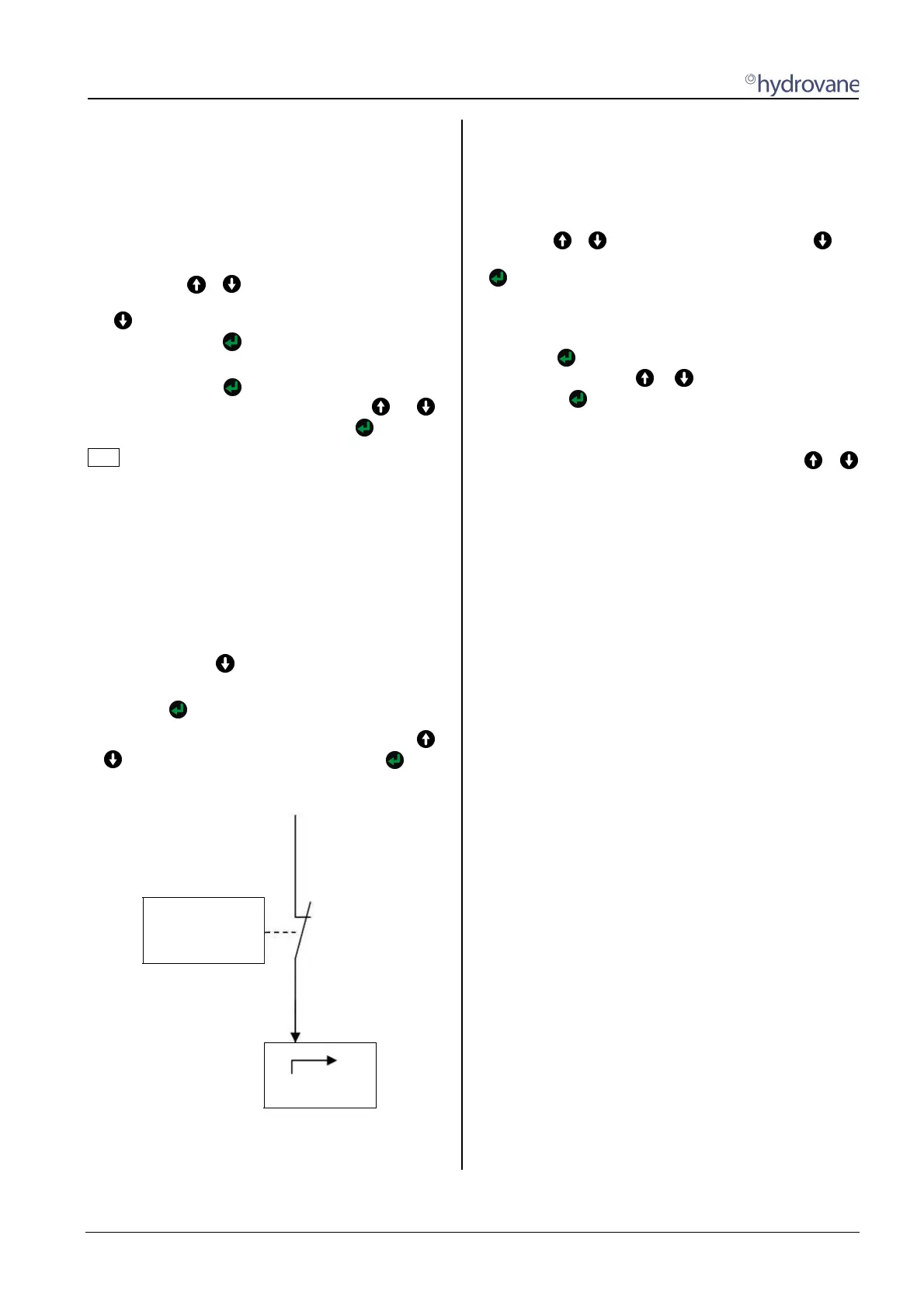
The output of the compressor is controlled between
these points or speed is regulated so that the set
pressure of 8.0 bar (116 psi) is maintained.
When pressure reaches the CUT-OUT POINT of 8.5
bar (123 psi), the compressor switches to off-load.
If pressure falls to the CUT-IN POINT of 7.5 bar (109
psi), the compressor is switched back into on-load.
Maximum pressure is set in the [CONTROL MENU]-
sub-menu. The + keys have to be pressed at the
same time. You are then taken to the main menu. Use
the key to switch to the [CONTROL MENU] sub-
menu, then press the
key
.
The CUT-OUT POINT menu item now appears on the
display. Pressing the key causes the value to flash.
Increase or decrease this value using the or
keys, confirm the value set by pressing the key.
Note
The controller checks that the value set can be used.
The maximum pressure CUT-OUT POINT must be at
least 0.2 bar more than the CUT-IN POINT or TARGET
PRESSURE.
You may therefore have to set the minimum pressure
first. To keep the number of stop/starts to a minimum,
the difference between the CUT-OUT POINT and CUT-
IN POINT or TARGET PRESSURE should not be too
small.
Minimum pressure is set in the [CONTROL MENU]
sub-menu press the key to go to the CUT-IN POINT
or TARGET PRESSURE menu item.
Pressing the key causes the value to flash.
You can increase or decrease this value using the
or key, confirm the value set by pressing the key.
CUT-OUT POINT
CUT-IN POINT
TARGET PRESSURE
ON-LOAD
Fig. 1 Pressure Settings
1.6 Setting time/date (timer)
The HYDROVANE Pro will retain its settings after a power
loss lasting about two to three weeks. If power is lost for
longer periods, the timer's time and date are lost and have
to be re-entered.
Press the + keys at the same time. Use the key
to go to the [TIMER CONTROL] sub-menu and press the
key.
The date and time are displayed in the following format:
TU 30.10.07 12:10:34
Press the key, the left-hand value (day of the week)
starts to flash. Use the or keys to select, confirm by
pressing the key.
All values can now be set in succession using this
procedure. When the last value (seconds) has been set,
the timer is active, exit the menu by pressing the +
keys twice at the same time.


 To Next Page