This document is the user manual for the Hydrovane Pro Electronic Controller, designed for stationary air compressors. It provides comprehensive instructions for operating and maintaining the compressor unit.
Function Description
The Hydrovane Pro Electronic Controller manages the operation of stationary air compressors, offering both single-speed (SS) and regulated speed (RS) control. Its primary function is to maintain system pressure within a set range by controlling the compressor's output or speed. The controller features a three-row display that shows compressor discharge temperature, system pressure, and status messages. It also incorporates light signals (red and green LEDs) to indicate system status, warnings, and faults.
The controller supports various operating modes, including Automatic Operation for economical use, where the compressor shuts down after a set run-on time if there's no system demand, and Continuous Operation for applications requiring constant motor operation. It also includes a Second Pressure Range (p2) function, allowing the use of an alternative pressure range, for example, for night-time running at lower pressures.
For enhanced control and integration, the Hydrovane Pro offers RS 485 communication using the ModBus RTU protocol, enabling connection to programmable logic controllers (PLCs). It also features an Automatic Re-start function, allowing the compressor to restart automatically after a power loss, provided the power loss duration does not exceed a preset time. An Unlimited Automatic Re-start option is available, but requires strict safety precautions due to the compressor's potential to start at any time.
Remote control capabilities are extensive, allowing for:
- Remote control for pressure changeover: Activating the second pressure range remotely via a digital input.
- Enabling on-load operation: Switching the compressor into off-load from a remote point using a potential-free contact, useful for external control systems.
- On-load/off-load remote control: Switching between on-load and off-load using two potential-free contacts, with input 1 enabling remote control and input 2 controlling on-load/off-load status.
- Remote start/stop: Externally switching the compressor on and off using potential-free contacts.
Important Technical Specifications
- Controller References:
- Single Speed (SS): CC1054325, Software version HPro-V1.02
- Regulated Speed (RS): CC1068566, Software version HPro-RS-V1.04
- Display: Three-row display for temperature, pressure, speed, status, fault, and warning messages.
- Pressure Settings:
- CUT-OUT POINT: e.g., 8.5 bar (123 psi)
- CUT-IN POINT (SS): e.g., 7.5 bar (109 psi)
- TARGET PRESSURE (RS): e.g., 8.0 bar (116 psi)
- Minimum pressure difference: 0.2 bar between CUT-OUT POINT and CUT-IN POINT/TARGET PRESSURE.
- Time/Date Retention: Settings retained for two to three weeks after power loss.
- RS 485 Communication: ModBus RTU protocol, configurable baud rate (e.g., 19200), and address (e.g., 1).
- Automatic Re-start: Configurable power loss time (2 - 999 seconds) for automatic restart.
- Programmable Inputs/Outputs:
- Inputs: Potential-free contacts only, not more than 20 meters from the terminal strip. Coupling relays may be needed for control cabinet integration. Functions include FREE (not assigned), EXT FAULT, EXT WARNING, DRYER FAULT, DRYER WARNING, ENAB.REM.LOAD, REMOTE LOAD, EXT. RPM LIMIT, RTC OVERRIDE, 2nd PR. RANGE, ENAB.REM-START, OPERATE_B1.
- Outputs (relay contacts): Maximum connected loads 4.5A / 240V. Functions include OFF (not programmed), OPERATING, ON-LOAD, OFF-LOAD, FAULT, WARNING, MAINT.DUE, WARNING/MAINT., WARN/MA/FAULT, REM.STARTABLE, RUNNING, 2nd PR. RANGE, TIMER.
- Limit Values (Examples):
- DESIGN PRESS: 8.0 bar (116 psi)
- START PROTECT: 2.0 bar (29 psi)
- HEAVY STARTUP (SS): 3.5 bar
- EXT. LIMIT (RS): 2000RPM
- FINAL TEMP WARN: 107°C (225°F)
- FINAL TEMP MAX: 110°C (230°F)
- MIN START TEMP: 0°C (32°F)
- RUN-ON TIME: 60s
- SOFT STOP: 2s
- STAR DELTA TIME (SS): 1s
Usage Features
- Intuitive Keypad: Dedicated keys for Start, Stop, Menu navigation (Call up/exit, next/previous item, increase/decrease value), and Reset/Enter.
- Language Selection: Easily change the display language.
- Timer Control: Program the compressor to switch on/off at specific times and change pressure levels (e.g., for night-time operation). Seven timer units are available for programming.
- Fault Memory: Stores up to eight recent warning and fault messages, including time, date, compressor status, speed, temperature, and pressure, aiding in diagnosis.
- Locking/Unlocking Code: A code (3031) can be used to lock sub-menus, preventing unauthorized programming. Limit values cannot be changed by the operator.
- VSD Model Selection: When replacing the controller, the user must select the correct working pressure or VSD type (e.g., KEB 460V/Mitsubishi VSD) and model to ensure proper operation.
Maintenance Features
- Maintenance Intervals: Preset maintenance intervals (e.g., Air Filter, Oil Filter, Separator, Oil Change) can be programmed and monitored. The controller displays a "MAINTENANCE DUE" message when an interval is approaching or has elapsed.
- Automatic Shutdown for Maintenance: The compressor can be configured to automatically shut down when a maintenance interval is due (e.g., -100h remaining).
- Total/Load Hours Counter: Tracks total operating hours and loaded hours, which are useful for scheduling maintenance and assessing compressor usage. These counters are reset if the Hydrovane Pro controller is replaced.
- Error Rectification Guide: A comprehensive section provides possible causes and remedies for various fault and warning messages, including power loss, motor temperature, compressor temperature, pressure issues, sensor faults, communication errors, and VSD faults.
- Checklist for Troubleshooting: A checklist is provided to guide users through common troubleshooting steps, such as checking supply voltage, control transformer settings, switch panel temperature, remote control connections, and using genuine Hydrovane spare parts.
- Safety Regulations: Emphasizes critical safety warnings, especially for RS compressors, regarding the risk of electric shock from charged capacitors and the need to wait 10 minutes after disconnecting power before touching electrical components. It also highlights the importance of warning signs and staff instruction when using automatic restart functions.

 Need help?
 General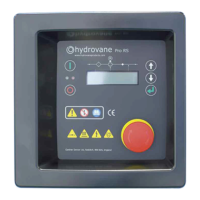

 To Next Page