Installation, Programming and Maintenance User Guide Oxymatic Smart
V. 1.3.2. May 2015
29
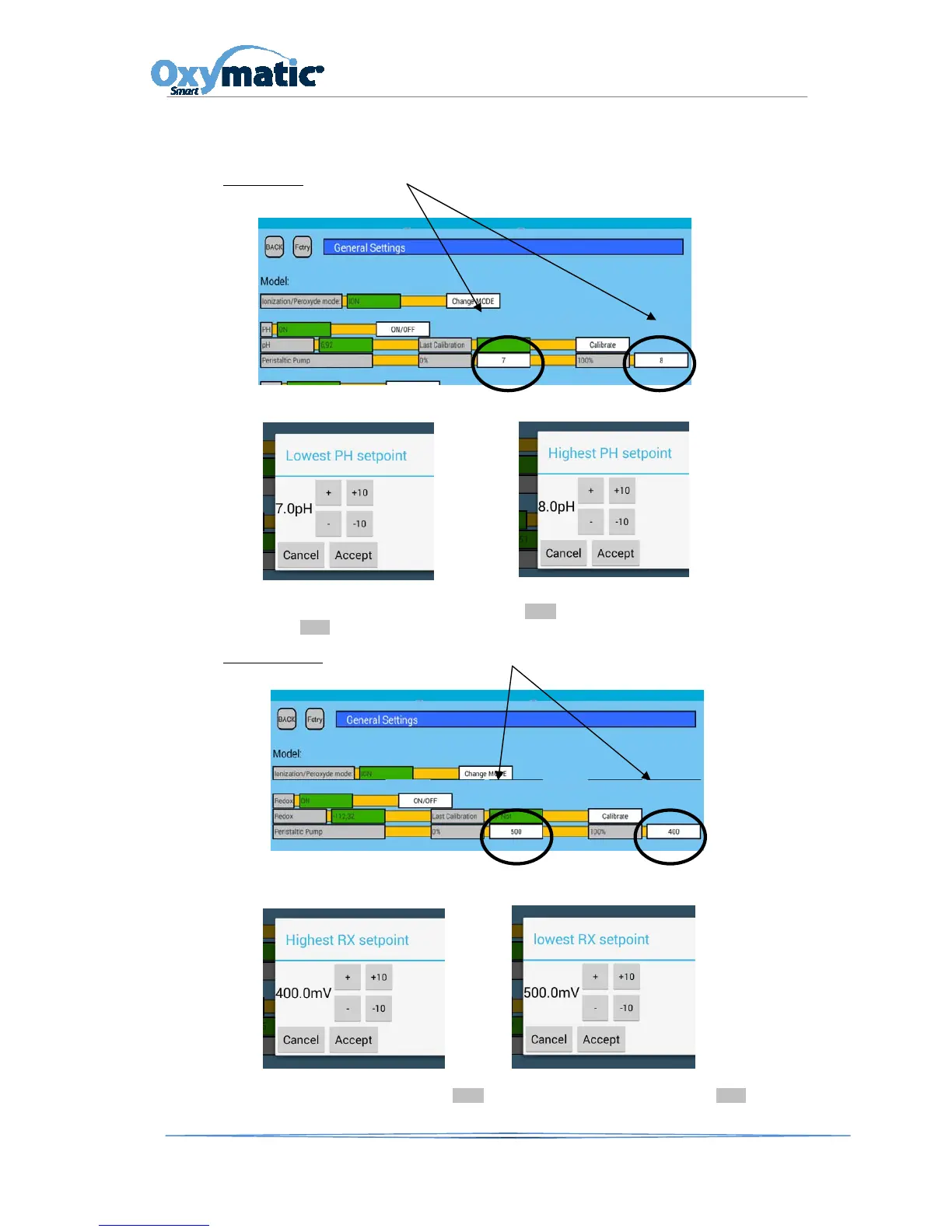
8.4.4. Programming the pH Set Points
In case youneed to change the pH or Rx set points, you must act as following :
.
pH SET POINT , go to the SET option on the main screen, enter the password 1122 and press the
editable white boxes, 7 and 8
Modify the desired parameters (It is recommended that a professional does it)
Once this action is completed, press the BACK button on the main screen and press the
AUTO button in order to make the system work with the new parameters.
Redox SET POINT
.-, go to the SET option on the main screen, enter the password 1122 and press the
editable white boxes, 500 and 400
Modify the desired parameters (It is recommended that a professional does it)
Once this action is completed, press the BACK button on the main screen and press the AUTO button
in order to make the system work with the new parameters.



 To Next Page