Installation, Programming and Maintenance User Guide Oxymatic Smart
V. 1.3.2. May 2015
32
9.1. INTERNETCONNECTION
It is recommended to access the Internet service. Oxymatic is constantly evolving and in some cases we
need to update the software for the proper functioning of the system as well as to handle and maintain
all the information of our system through our computer or our mobile phone system, either Android or
iPhone version. Therefore we need to take the following steps:
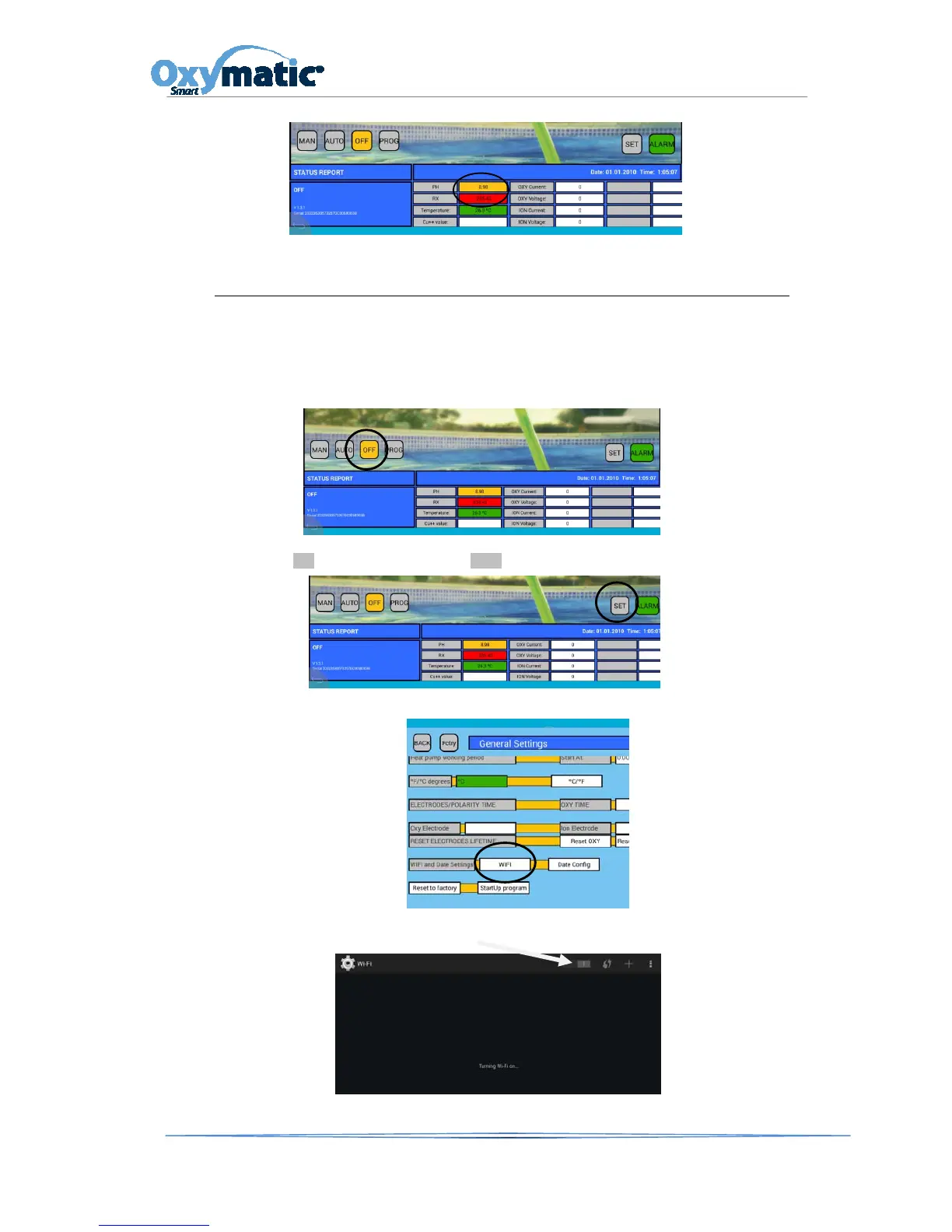
Put he system in OFF mode
1. Press SET button and enter password 1122
2. Slide the display to find the WIFI option and press the button.
3. Activate the WIFI option on the following screen



 To Next Page