Installation, Programming and Maintenance User Guide Oxymatic Smart
V. 1.3.2. May 2015
34
4. This action will download the latest version of the system from the Oxymatic Smart server.
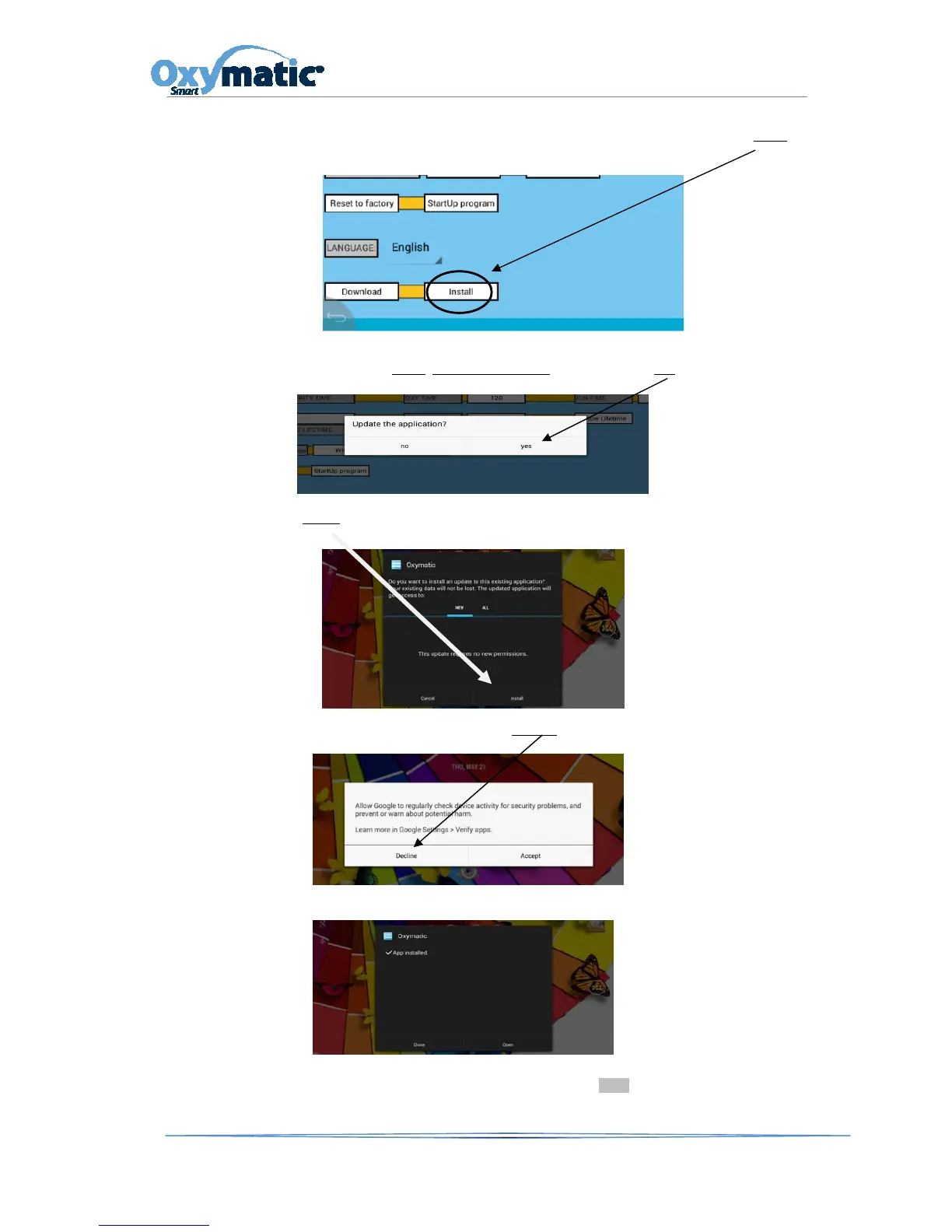
Wait a few minutes (depending on the Internet connection speed). Once downloaded, the Install
button will be activated .
5. Once activated, press Install
. Update applications? will appear. Press YES button.
6. Press Install
button:
7. Now the following screen will appear. Press Decline
button.
8. This action will take you to the following screen where no action is required.
Once on this screen, the computer will take you to the main screen STATUS REPORT and you will find your
updated version. Now, to run the new software, you have to put the system in AUTO mode.



 To Next Page