EN-GB - 7HYENA E-BIKE SYSTEMS
5. Assist system operation
IMPORTANT
Before you ride:
• Regardless of your experience level, you should read the ‘Introduction’ chapter of this
Owner’s Manual and carry out all important safety checks.
• The assist system can only be activated when the battery is suciently charged.
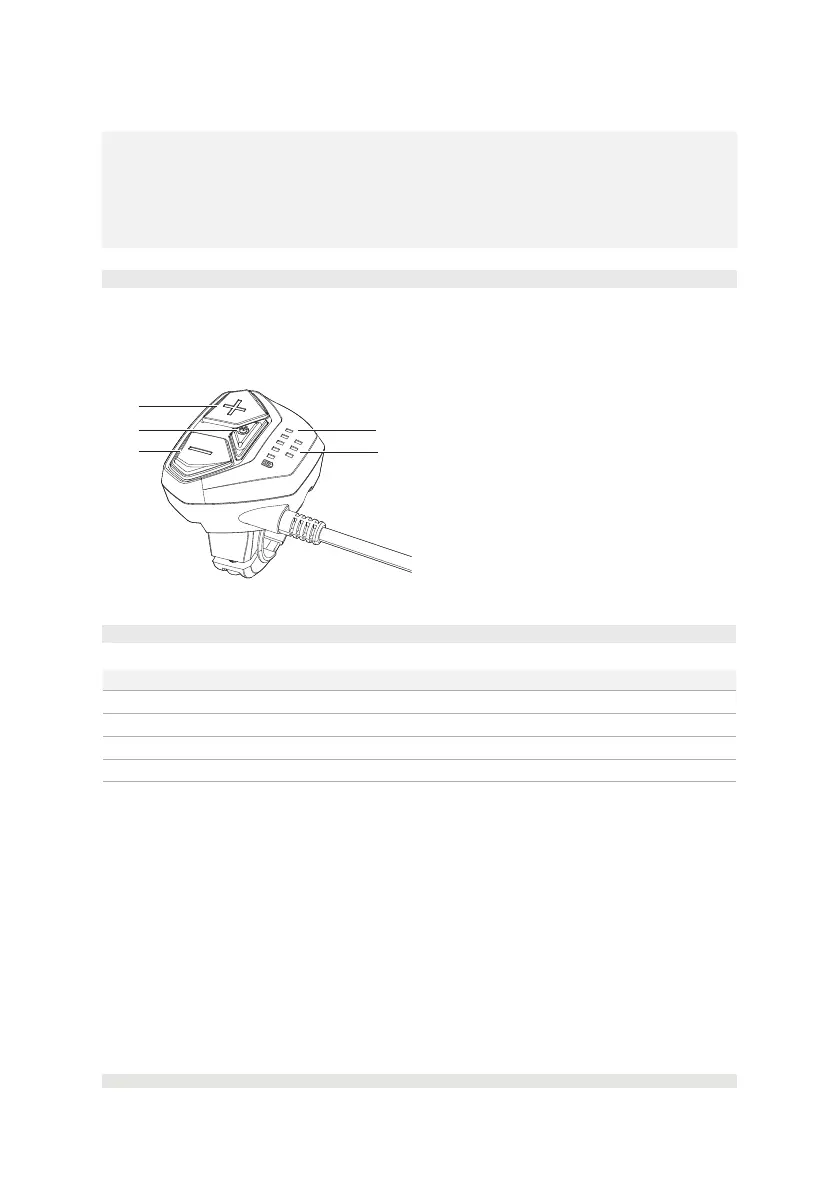
5.1. Console overview
You can control the assist system using the console, including switching on/o the assist
system, selecting the level of riding support, turning on/o the lights (if part of the equipment)
and using the walk assistance function.
A
B
D
A. UP (+) button (Increase assist
lever and switching on/o lights
(if part of the equipment))
B. Power ON/OFF button
C. DOWN (-) button (Decrease assist
lever and walk assist)
D. Battery charge level indicator
E. Riding assist lever indicator
C
E
5.2. Technical data of the console
Item Specication
Operating temperature -10°C (14°F) to 60°C (140°F)
Storage temperature -20°C (-4°F) to 70°C (158°F)
Protection rating IPX5
Weight, approx. <0.05 kg (0.11 lbs)



 To Next Page