EN-GB - 8HYENA E-BIKE SYSTEMS
Notes
• Always turn o the assist system after riding or when parking the e-bike.
• If the e-bike is not used and no buttons are pressed, the assist system will automatically
turn o after six minutes to save power.
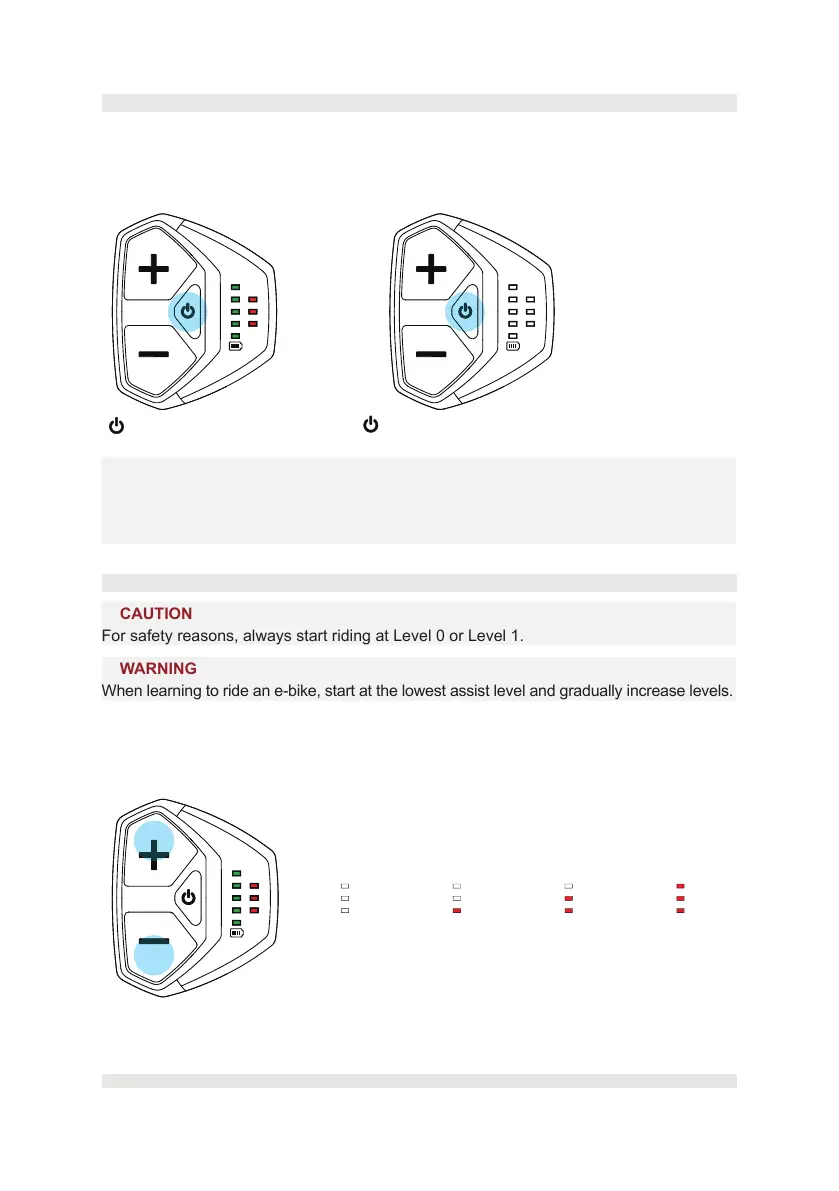
5.3. Turning on/o the assist system
• Single-press the power button to switch on the system.
• Press the power button longer than 2 seconds to switch o the system.
Riding with the assist system turned o is like riding a normal, non-electric powered bicycle.
< 0.5 sec ON
> 2 secs OFF
5.4. Selecting an assist level
⚠
CAUTION
For safety reasons, always start riding at Level 0 or Level 1.
⚠
WARNING
When learning to ride an e-bike, start at the lowest assist level and gradually increase levels.
Once the assist system is switched on, the system will default start to Level 0.
Single press the UP (+)/DOWN (-) buttons to select the desired assist lever: Level 0 (0%,
no assist), Level 1 (max 140%), Level 2 (max 250%) to Level 3 (max 390%).
Level 0
Support O (0%)
Level 1
(max 140%)
Level 2
(max 250%)
Level 3
(max 390%)
Select the desired assist level using the UP (+) and DOWN (-) buttons.



 To Next Page