23
MUTE ON/OFF
From ready mode pressing both frequency UP and frequency
DOWN simultaneously will switch mute sounds ON and OFF.
BLUETOOTH
When a Bluetooth connection is made with the HyperVibe G10
software, the Bluetooth indicator will illuminate, and both the
timer and frequency window will indicate — which means that
machines controls and indicators are now controlled by an ex-
ternal device. During bluetooth connection, the only button that
is functional on the control panel and remote control is the power
button, which must be pressed and held for 3 seconds to break
the bluetooth connection and send the machine into sleep mode.
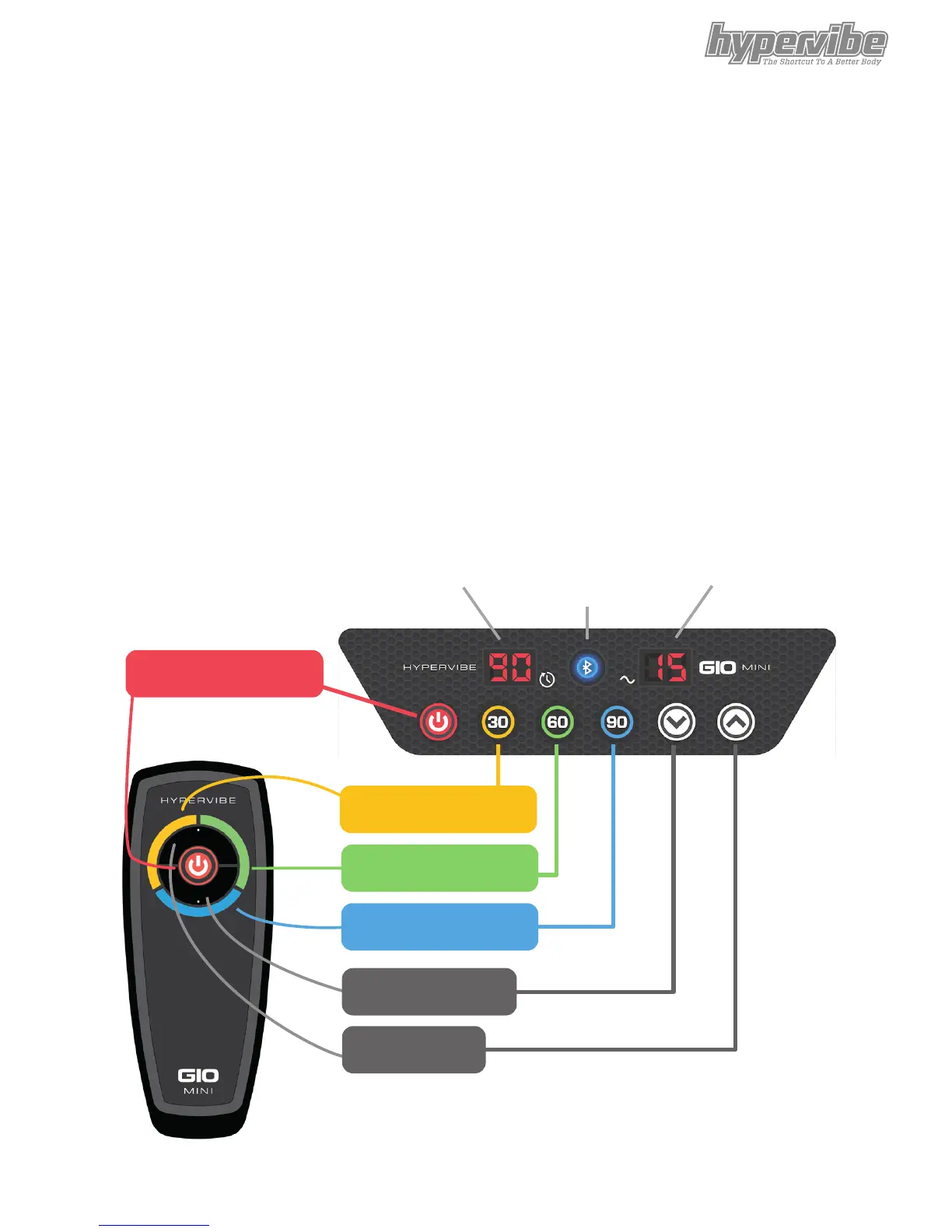
Power (On/O/Stop)
Timer Bluetooth
indicator
Frequency
30 seconds duration
60 seconds duration
90 seconds duration
Frequency UP
Frequency DOWN
Figure 4


 To Next Page