HyperX Armada 25 FHD Gaming Monitor
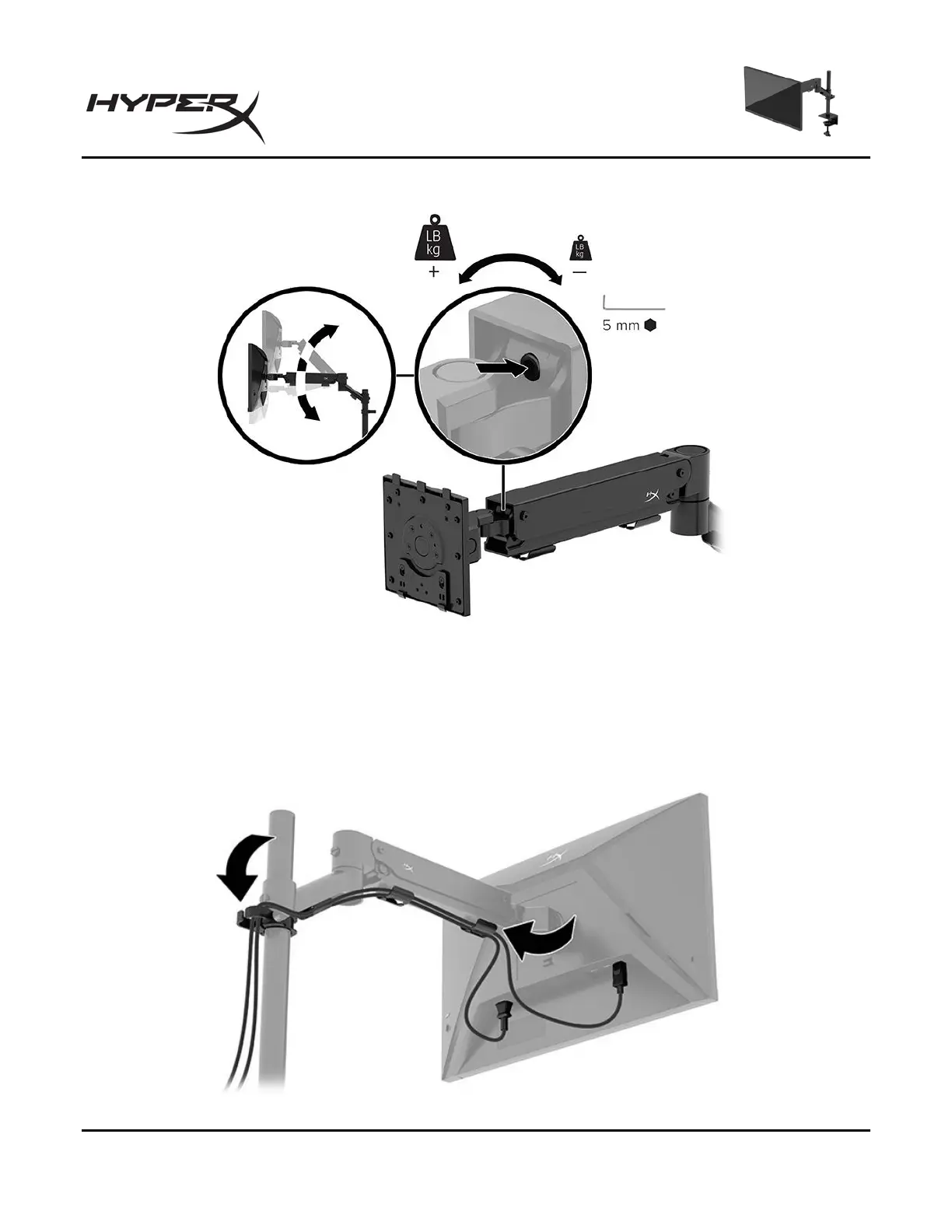
2. Adjust the tension at the end of the arm using the 5 mm Allen key.
Connecting and routing the cables
Connect a signal cable (HDMI or DP) and power cable to the connectors on the back of the monitor and
route the cables through the cable management system. Then connect the signal cable to the source
device (computer or gaming system) and the power cable to a power outlet.


 To Next Page
 Loading...