39
Working Mode UPS AC F.C. Bat First
Unattended 90% ON OFF
Language English España
Display Settings
Date/Time Brightness
Sound
WiFi
Reset
ON OFFEnergy Saver
Parallel Mode Single P. Split P. 3 Phase
Home
Settings
Information
Alerts
中文
Working Mode UPS AC F.C. Bat First
Unattended 90% ON OFF
Language
中文
English España
Display Settings
Date/Time Brightness
Sound
WiFi
Reset
ON OFFEnergy Saver
Parallel Mode Single P. Split P. 3 Phase
Home
Settings
Information
Alerts
10% 20% 30%
40% 50% 60%
70% 80% 90%
Cancel
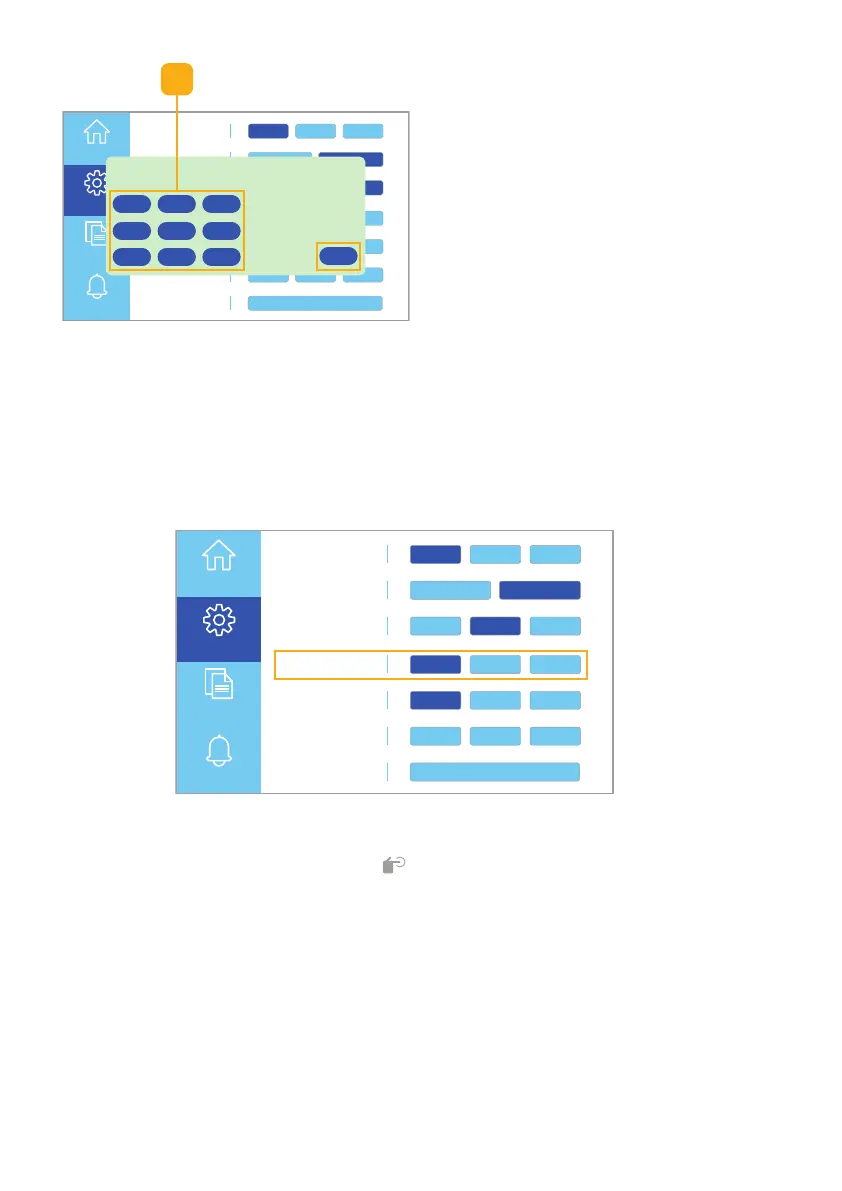
Please select the desired battery auto-start percentage
(Higher auto-start percentage is recommended if load
power will exceed charging
power).
2. Select the desired battery
Auto-start percentage (Fig. 6.20).
Note: Be sure to consider your
power consumption while
selecting this percentage.
Click the Cancel button to return to
the Settings touchscreen without
saving the settings.
Fig. 6.20 Select auto-start percentage
Fig. 6.21 Parallel mode settings
Parallel Mode Settings
Selecting Parallel mode (Fig. 6.21) allows you to set the phase of the unit(s).
There are three phases to select from. These include, Single-phase (Single P.),
Split-phase (Split P.), and 3-phase (3-Phase).
2
Important! If Inverter Status Icon [ ] is flashing on the home screen, press
AC ON once to power on inverter; ensure icon is no longer flashing before
changing Parallel Mode Settings. Do not press AC ON again: the toggle switch
should indicate that AC Output is OFF before changing parallel mode settings.



 To Next Page