40
Working Mode UPS AC F.C. Bat First
Unattended 90% ON OFF
Language
中文
English España
Display Settings
Date/Time Brightness
Sound
WiFi
Reset
ON OFFEnergy Saver
Parallel Mode Single P. Split P. 3 Phase
Home
Settings
Information
Alerts
One Multi
Cancel
WARNING! Consult Owner’s Manual. Improper Setup may
damage unit. Follow Wiring Diagrams.
Please turn OFF the AC output before operation!
Single Phase, Single Apollo, or Multiple linked:
Working Mode UPS AC F.C. Bat First
Unattended 90% ON OFF
Language
中文
English España
Display Settings
Date/Time Brightness
Sound
WiFi
Reset
ON OFFEnergy Saver
Parallel Mode Single P. Split P. 3 Phase
Home
Settings
Information
Alerts
Working Mode UPS AC F.C. Bat First
Unattended 90% ON OFF
Language
中文
English España
Display Settings
Date/Time Brightness
Sound
WiFi
Reset
ON OFFEnergy Saver
Parallel Mode Single P. Split P. 3 Phase
Home
Settings
Information
Alerts
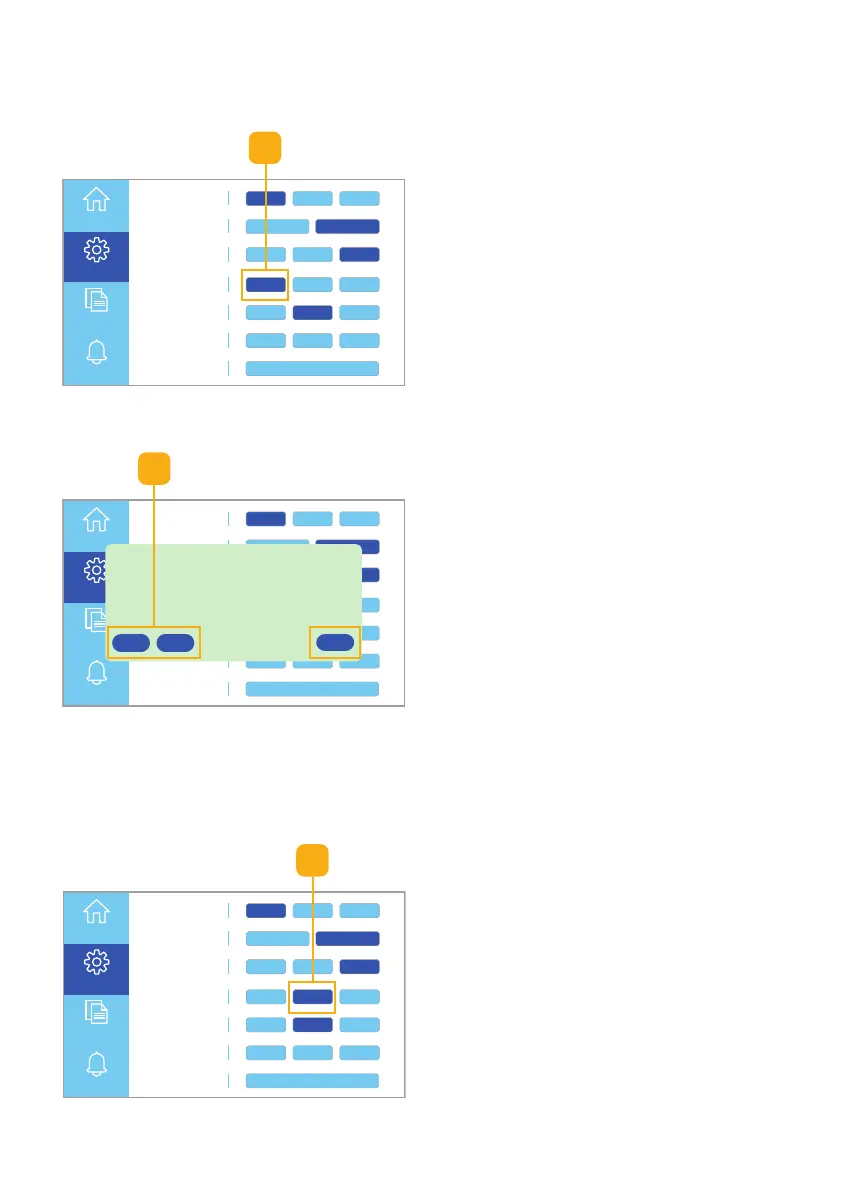
Follow these steps to choose a Parallel mode setting:
Single-phase Settings
Fig. 6.22 Select single p. button
1
2
1. Select the Single P. button to set
the unit’s single-phase
configuration (Fig. 6.22).
2. Select the One or Multi button
(Fig. 6.23):
• One if you are using only
one Apollo
• Multi if you are connecting
multiple Apollo for Single-
Phase power.
Note: Click the Cancel button
to return to the Information
touchscreen without saving
the settings.
Fig. 6.23 Select single or multi option
Fig. 6.24 Select split p. button
Split-phase Settings
1
1. Select the Split P. button to set
the unit’s phase to P1 or P2
(Fig. 6.24).



 To Next Page