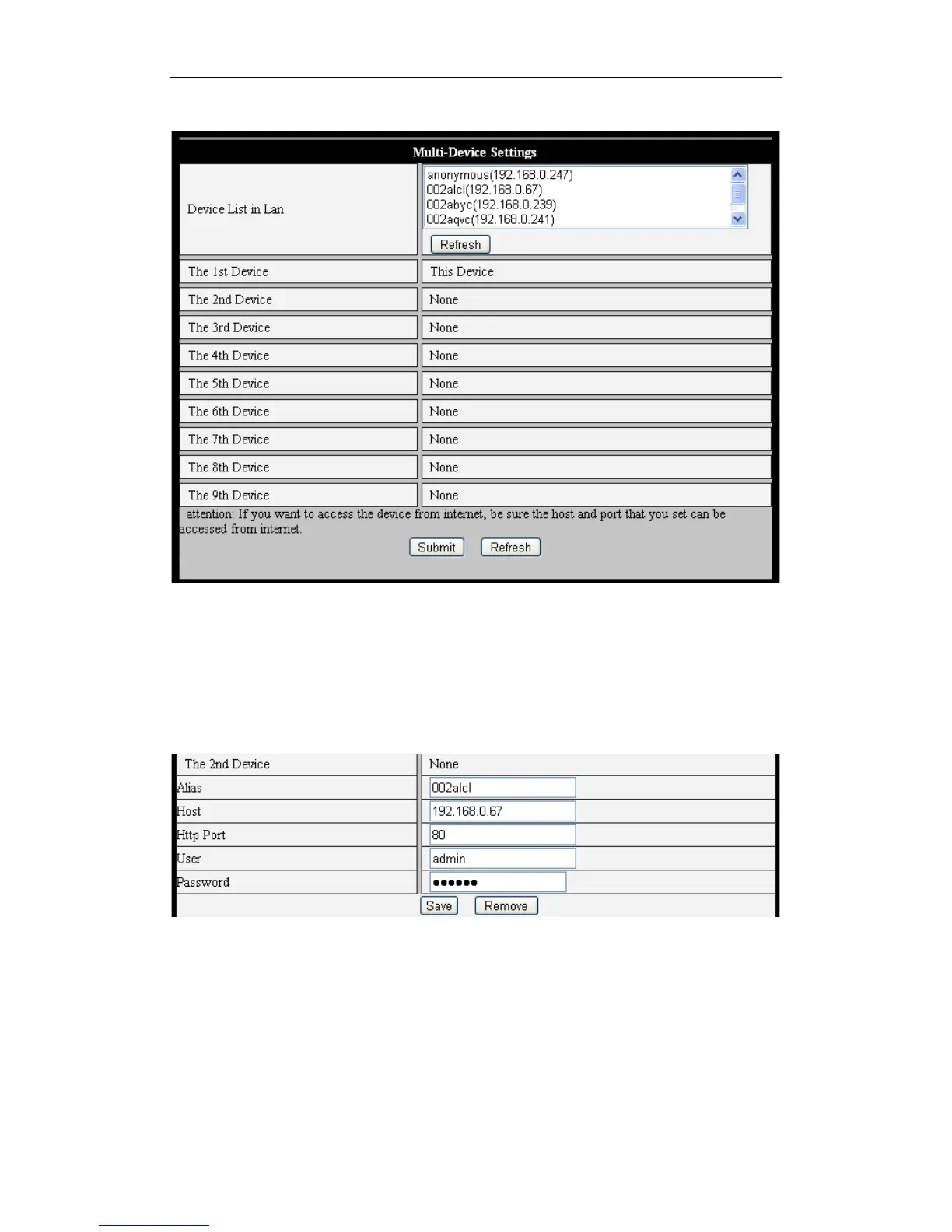
5.3.2 Multi Device Settings
Figure 24
As indicated in Figure 24, users can add an unlimited amount of iOS devices connected
to the iBaby monitor and viewed simultaneously. When a new device is added, click the
"Refresh" button, and then highlight the new device. Use the menu that pops up to enter
information for the new camera, as shown in Figure 25. Finally, click "Save."
Figure 25
5.3.3 Other settings
Figure 26 shows several other advanced settings.
* You can choose to turn on or off the indicator LED.
* With PTZ (or Pan/Tilt/Zoom) settings, selecting "Yes" for "PTZ Center on Start" will
cause the camera, upon startup, to move to the center and then stop.



 To Next Page