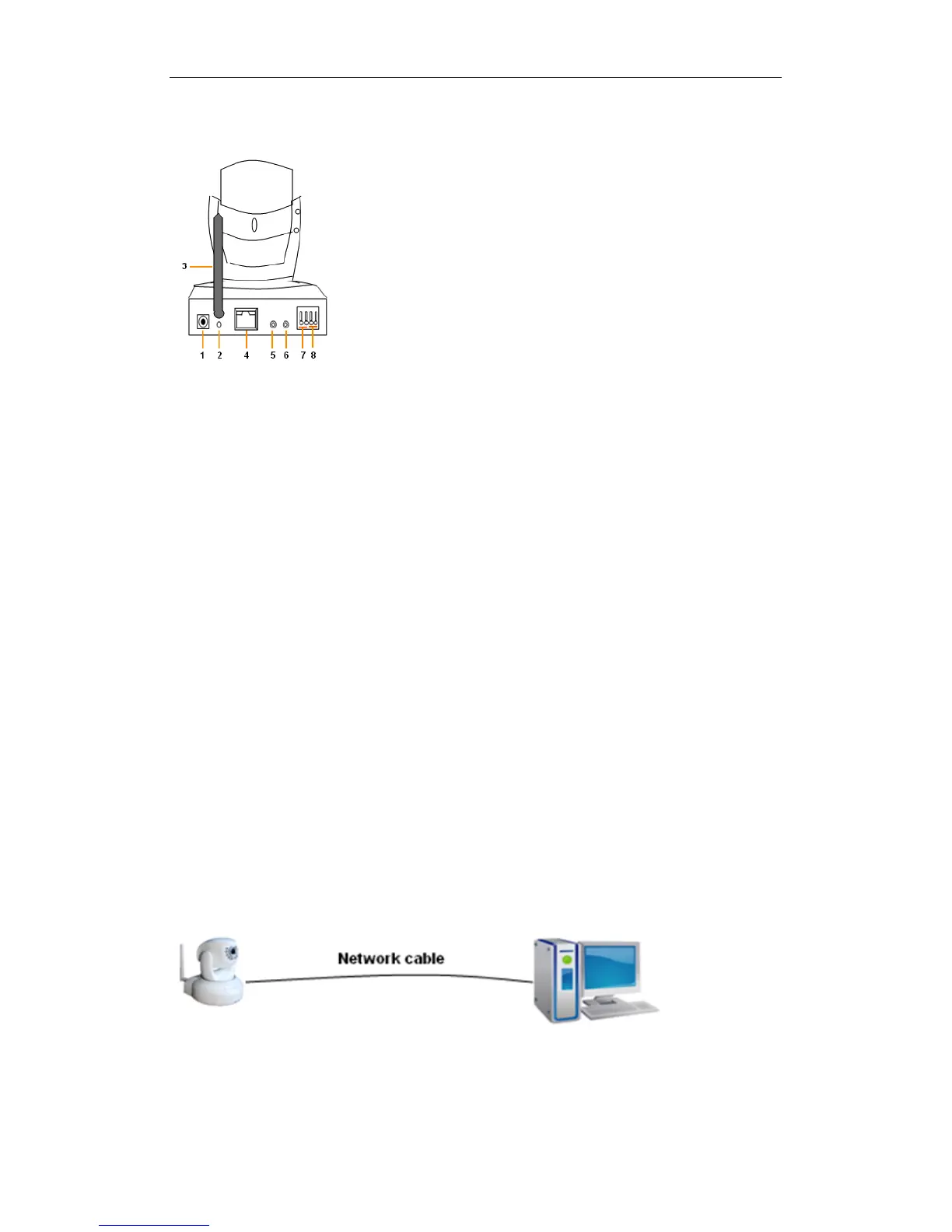
2.2 Back panel of the iBaby monitor
Figure 2
1) Power Input Socket: Connection for power adaptor. The adaptor‘s output is 5 volts,
1.5 amps.
2) RESET Button: Press the RESET button and hold for 10 seconds. The iBaby
monitor will restart with its factory default settings restored.
3) Wi-Fi Antenna Connector: For installing a Wi-Fi antenna.
4) RJ45 Ethernet Socket: The RJ45 Ethernet socket automatically configures itself for
speeds of either 10 MB or 100 MB.
5) Audio Input Socket: For connecting an external microphone. The built-in
microphone is turned off whenever an external microphone is plugged-in.
6) Audio Output Socket: For use with a headphone or speakers.
7) Alarm Output Socket
8) Alarm Input Pin
3 Accessing the iBaby monitor over a Local Area
Network
3.1 Local Area Network connection
Figure 3



 To Next Page