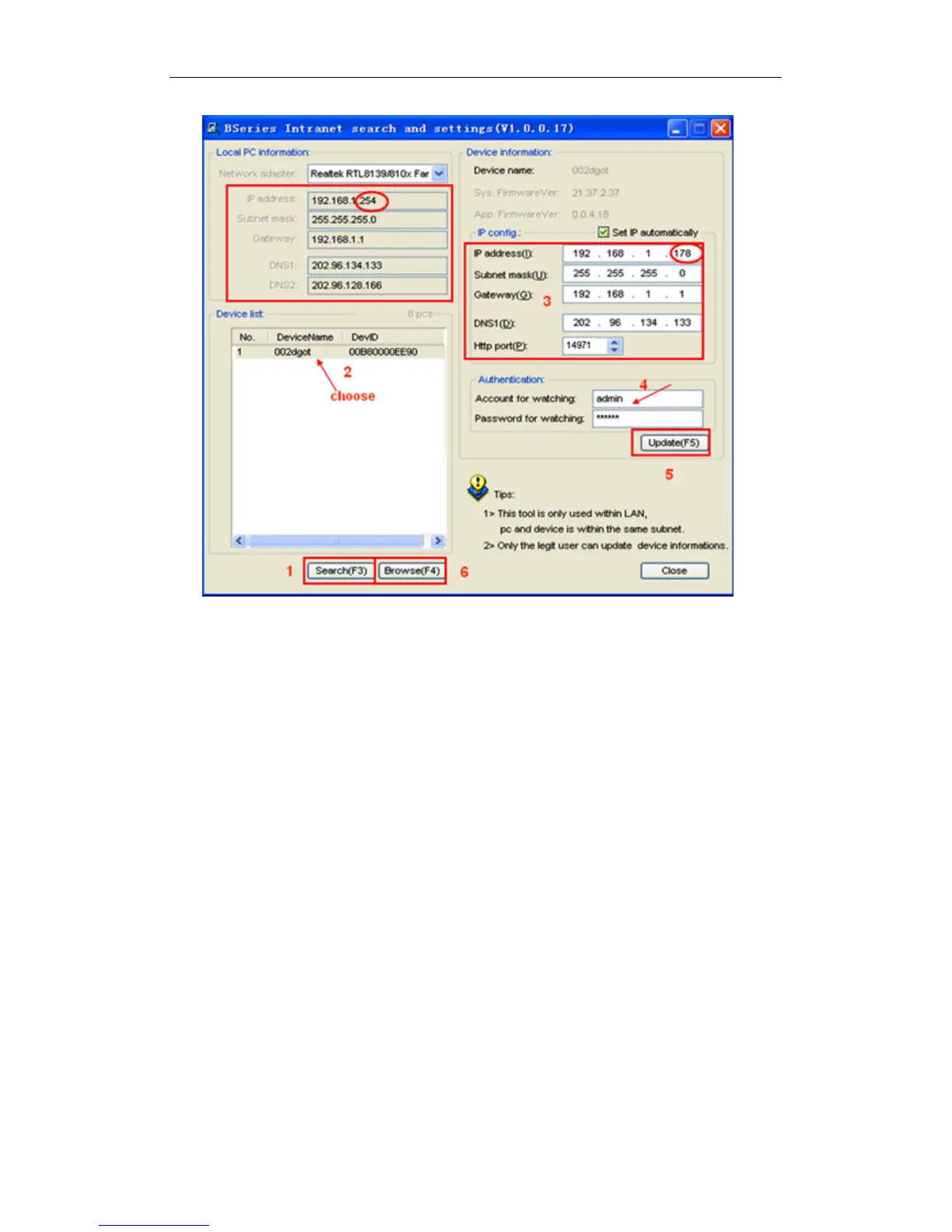
Figure 5
Operation Steps:
1) Click “Search (F3)
2) Choose the device
3) Change the IP address of the camera according to the information in the red frame
on the left. The numbers in the red circles should not match, as your iBaby monitor
should have a different IP number than your PC.
4) For Authentication, enter a user name and password. (The default settings are
user name "admin" and password "123456").
5) Click “Update”
6) Click “Search (F3)”, choose the device, and then click “Browse (F4)”. You will be
able to view the camera, as shown in Figure 6.
NOTES:
1) If you don’t know what IP address to use for “IP config," check “Set IP
automatically,” and the software will fill it in for you.
2) When you run the BSearch_en.exe, any firewall software you might have installed
on your PC may ask you whether the BSearch_en.exe program should be blocked
or not. Choose "unblocked."



 To Next Page