17
USB Connections:
① Connect the DX220 to a computer using the furnished
type-C cable.
② Swipe down the screen from the topto display the
notification bar.
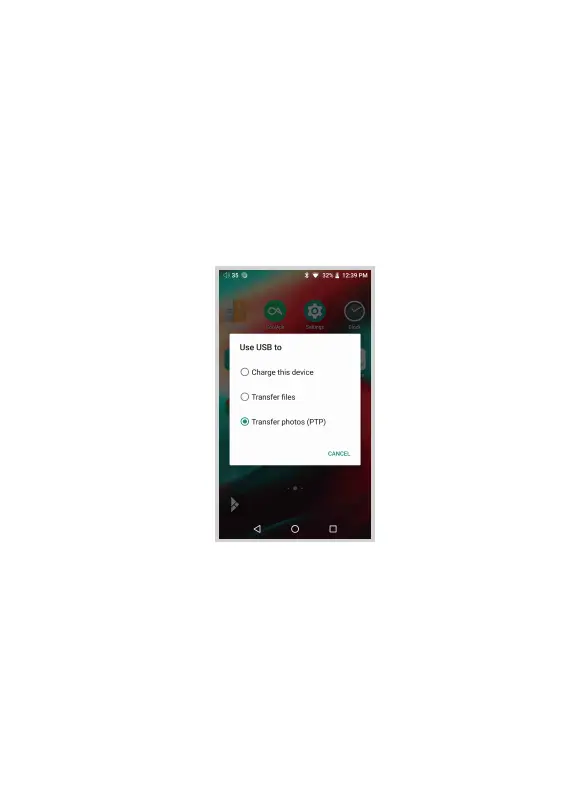
③ Press the USB connection icon to choose the type
of USB use.
Charging:
This only charges the DX220.
File Transfers:
Transfer files to Windowsor Mac (MTP).
Photo Transfer (PTP):
transfer photos or files if MTP is not supported.


 To Next Page