28
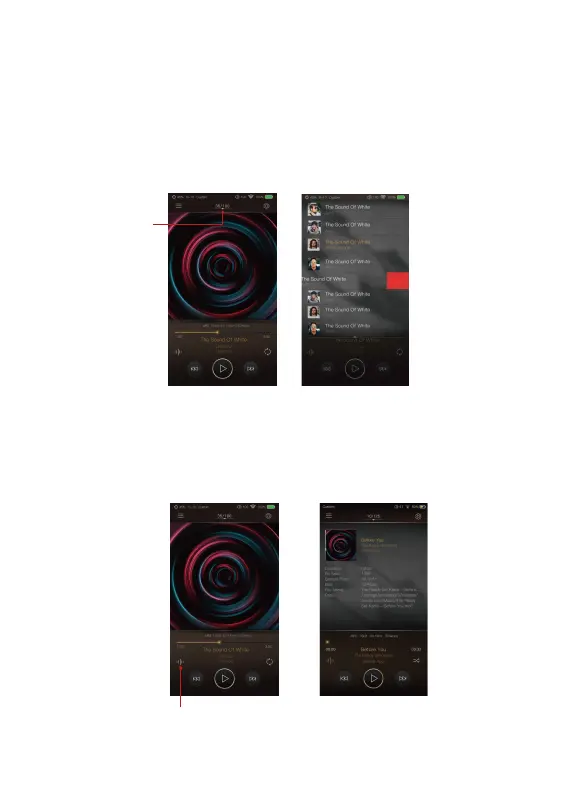
Now Playing Screen:
Music Info Screen:
Swipe down from the track number icon ① to display the now
playing screen. One can swipe a song to the left to display the
Delete button. Press Delete to delete it from this playlist.
Press the Music info icon ②, the album artwork will show the
music info. Press the music info icon again, it will return to
album artwork.
①
Delete
②


 To Next Page