18
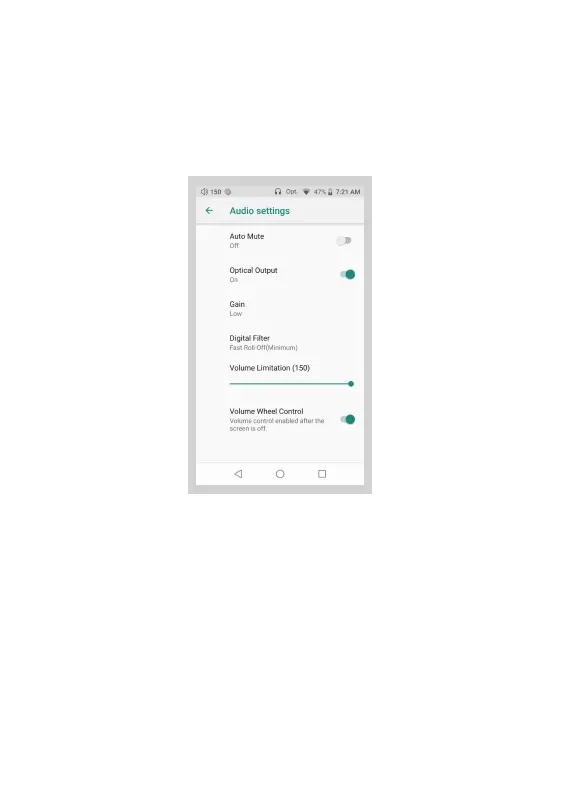
Audio Settings:
① Automute:
When Automute is on, it eliminates the noise when the music
starts or when you switch songs. However, it may cause the
music to be muted for 0.5 seconds on the beginning of the
music.
② Optical Output:
When Optical Output is on, digital output is allowed on the
SPDIF port. Keep the Optical Output off when the optical
output is not applicable.
Press Settings Icon, then press Audio Settings.


 To Next Page