Need help?
Do you have a question about the iBasso DX220 and is the answer not in the manual?
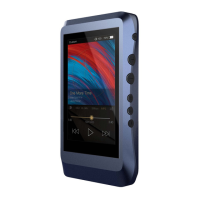
The primary audio device included in the package.
Accessory for device protection.
Cable for digital audio output.
Cable for burn-in process.
Cable for charging and data.
Screen protection accessory.
Initial setup guide.
Document for warranty claims.
Connects to a computer for charging, data transfer, and USB-DAC function.
Connects to external DAC for digital transport.
Plays music to burn-in the DX220 for sound optimization.
Protects the DX220's chassis from scratches.
Protects the DX220's screen from scratches.
Essential for warranty repair; must be retained.
Reviews the basic functions of the DX220.
Details output level, frequency response, S/N, THD+N, crosstalk.
Details output level, frequency response, S/N, THD+N, crosstalk.
Details output level, frequency response, S/N, crosstalk.
Information on battery life.
Slot for memory card expansion.
Port for digital audio output.
Port for charging and data.
Port for external amplifier connection.
Standard headphone jack.
2.5mm jack for balanced headphones.
Connects to external devices for audio playback.
For charging, data transfer, and external storage connection.
Connects to external amplifiers for audio output.
Connects single-ended earphones for audio.
Connects balanced earphones for audio.
Insert card to access stored music files.
Controls device power and system options.
Adjusts audio volume by rotating.
Buttons for next, previous, play, and pause functions.
Short press for screen on/off, long press for power options.
Rotate wheel up/down to adjust volume.
Short press for next track, long press for fast forward.
Short press for play/pause, long press to lock screen.
Short press for previous track, long press for rewind.
How to power on/off the device and its screen.
Steps to reset the DX220 if it becomes unresponsive.
Information on supported charging standards and time.
How to connect and use the DX220 as a USB DAC.
Steps to connect DX220 to a computer for DAC function.
Choose "iBasso Audio HiFi device" for playback.
Steps to connect the DX220 to a WiFi network.
Steps to turn on Bluetooth and pair nearby devices.
Using pre-installed stores like APKPure to install apps.
How to uninstall applications from the device.
Selecting USB use for charging, file transfer, or photo transfer.
Settings for WiFi, data usage, and hotspots.
Managing Bluetooth and cast device connections.
Managing app permissions and notifications.
Adjusting screen properties and viewing battery status.
Entry point for configuring audio parameters.
Eliminates noise when starting or switching songs.
Enables digital output on the SPDIF port.
Select one of three gain levels for audio output.
Choose from available digital filters for sound shaping.
Sets the volume to a maximum preset point.
Enables volume control when the screen is off.
Enables audio control buttons when the screen is off.
Allows customizing placement of previous/next buttons.
Steps for updating firmware via WiFi.
Steps for updating firmware from local storage.
How to find the current build number and firmware version.
Navigating and understanding the music player's home screen.
Displaying current track details and accessing music information.
Browsing music by library detail or file structure.
Inputting keywords to find music.
Navigating music views and customizing the bar.
Pressing artwork to return to the playback screen.
Displaying music organized by album, in thumbnail or artwork format.
Displaying music organized by artist, in thumbnail or artwork format.
Steps to create and name new playlists.
Renaming, exporting, or deleting playlists.
Highlighting and selecting icons to show on the navigation bar.
Sorting music by title, album, artist, added time, or folder.
Choosing between thumbnail and artwork view for albums.
Choosing between thumbnail and artwork view for artists.
Navigating internal storage and SD card via folder structure.
Inputting terms to find tracks, albums, or artists.
Enables gapless playback to eliminate gaps between tracks.
Explains the three gain settings and their suitability for IEMs.
Choosing playback modes like Order, Loop, Shuffle, Repeat.
Accessing Graphic EQ and Parametric EQ settings.
Adjusting the balance between left and right audio channels.
Selecting from seven available digital filters.
Enables playback of songs within selected folders.
Using pre-set EQs or adjusting the 10-band graphic equalizer.
Using the parametric equalizer for detailed sound shaping.
Swiping to select and customize filter settings.
Managing up to 6 filters per setting, customizing type, frequency, gain, and Q factor.
Configuring and using the DX220 as a USB DAC.
Setting a countdown timer to power off the device.
Performing media scans to rebuild the music library.
Viewing device model, version, and storage space.
Steps to switch from Android to Mango OS.
Overview of the music playback interface in Mango OS.
Accessing and configuring settings within Mango OS.
Navigating to the Advanced menu within Mango OS.
Selecting "To Android" and confirming the switch.

 To Next Page
 General