40
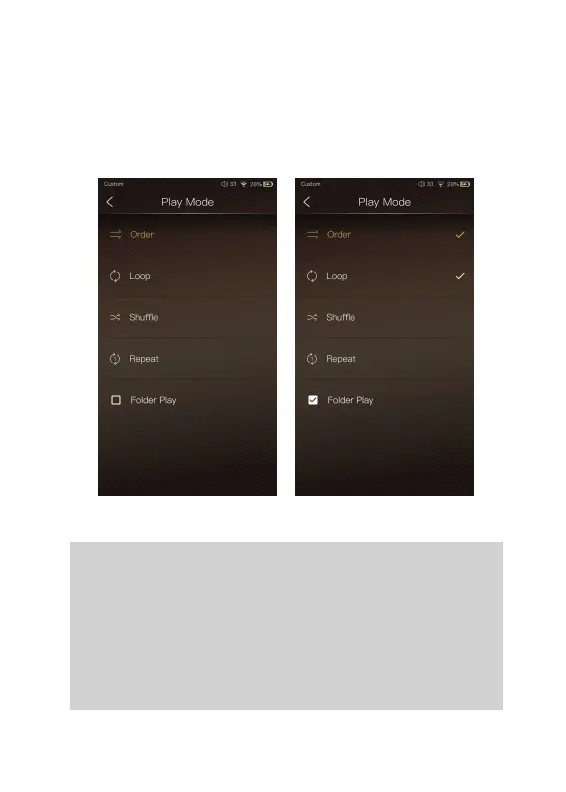
Folder Play:
One can choose the desired play mode among Order, Loop,
Shuffle, and Repeat.
To enable the folder play function, tick the box on the
left, then select either the order play mode or loop play
mode. After a full media scan, or rescan the library, you
can go to Directory and select a song under a folder.
After this folder is played, the DX220 will play the next
folder.
Play Mode:


 To Next Page