42
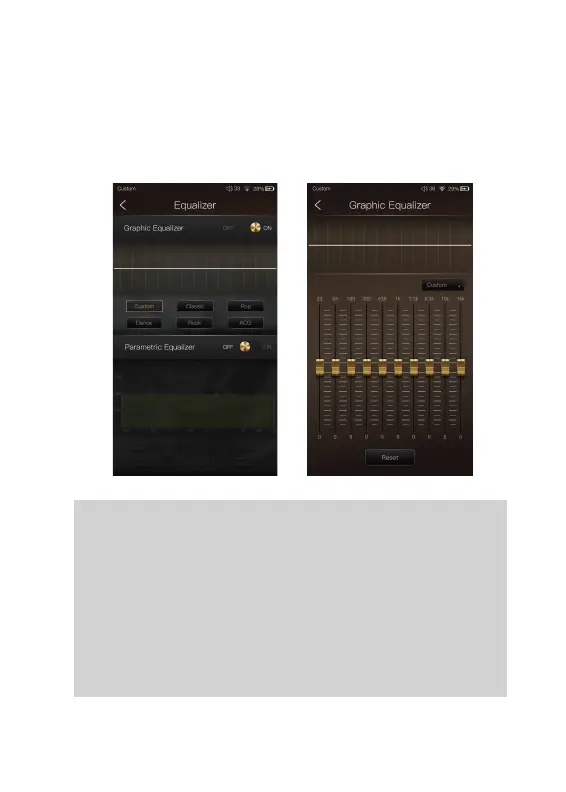
Pre-set EQ:
There are 5 kinds of pre-set EQ and a custom option.
One can quickly set the equalizer as desired by selecting
them.
How to Adjust The EQ Settings:
Press on the response curve, the 10 band slide bars will
show up. One can adjust the EQ settings by positioning
the bars up or down.
Press the button of the Graphic Equalizer to enable the
Graphic Equalizer.
Graphic Equalizer:


 To Next Page