iBasso Mango Music Player
Application
26
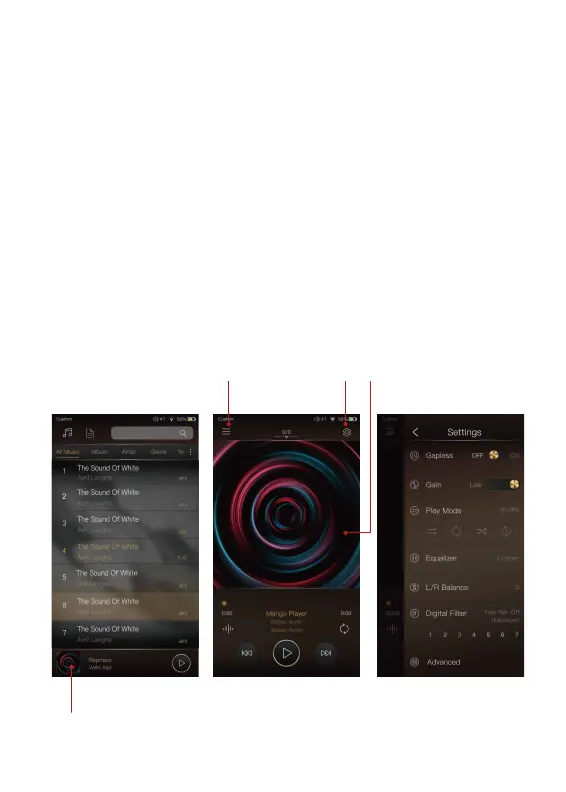
iBasso Audio Mango music player is composed of the Playback
screen (home screen), Music screen and Settings.
When on the playback screen, one can swipe left and right on
the Album artwork area ③ to switch a song: Press the icon on
the top left corner ① to go into Music Screen.
Press the icon on the top right corner ② to go into Settings.
No matter which sub screens of the Music Screen you are bro
wsing, press the thumbnail icon on the bottom left to return to
the playback screen.
① ② ③
④


 To Next Page