23
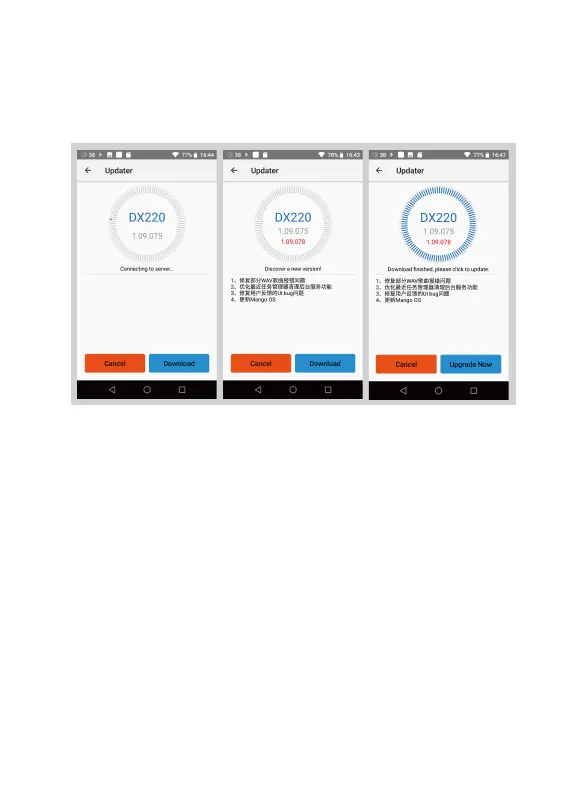
Online Update:
① Make sure the DX220 is connected to WiFi.
② After online update is select, press Check Update.
③ Press Download, the DX220 will start downloading
the available update package.
④ After the download complete, press Update Now to
start the firmware update.


 To Next Page