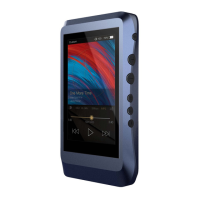
8
Mini Optical/Coaxial Output Port:
Use a mini optical cable or the furnished coaxial cable to play music
stored in the DX220 on an external device with a coaxial input port
or an optical input port. Mini optical/coaxial output has the highest
output priority which would close the phone out or line out when
optical/coaxial cable plugged in.
Type-C Port:
Connect the DX220 to a computer or a USB charger to charge
the DX220. Connect the DX220 to a computer to allow the DX220
to work as a card reader as a card reader or an external storage.
Connect the DX220 to an OTG storage
device to play music files. Connect the DX220 to a PC or a Mac
Line Out Port:
Use a 3.5 to 3.5 interconnect cable to play music stored in the
DX220 on an external amplifier with a line in port.
Phone Port:
Plug in the single-ended earphone and output sound through the
phone port.
Balanced Phone Port:
Plug in the 2.5mm balanced earphone and output sound through
the Balanced phone port.
Micro SD Card Slot:
Insert a Micro SD card into the DX220 to access its stored files.


 To Next Page