13
Android Basic Features
Introduction
WiFi Connection:
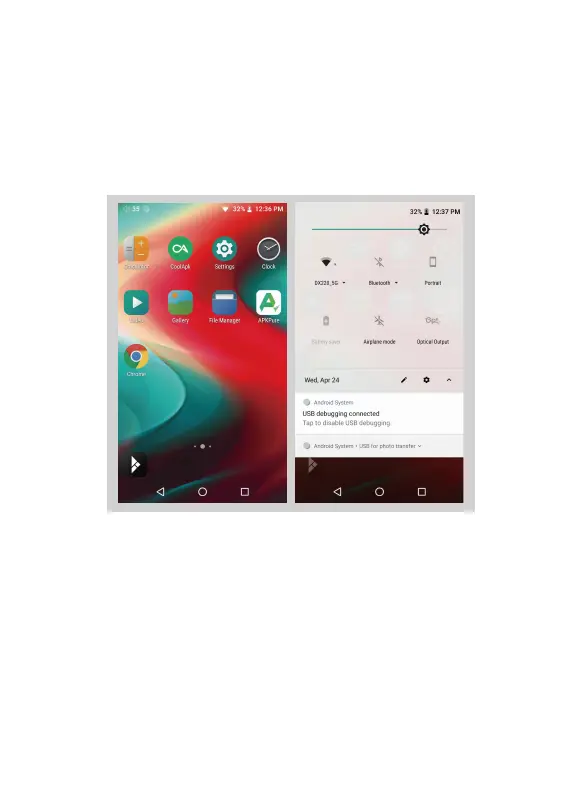
① On the Android desktop, from the top, swipe down
the screen to display the notification bar.
② Press the Wireless local area network(WLAN) to turn
on the WiFi function. The first time you enter the WLAN,
you need to choose the hot spot you will be using and
enter the password. From this point forward your
password for this hotspot will be remembered and you
simply press the WLAN icon to connect to the WiFi
internet.


 To Next Page