4-24
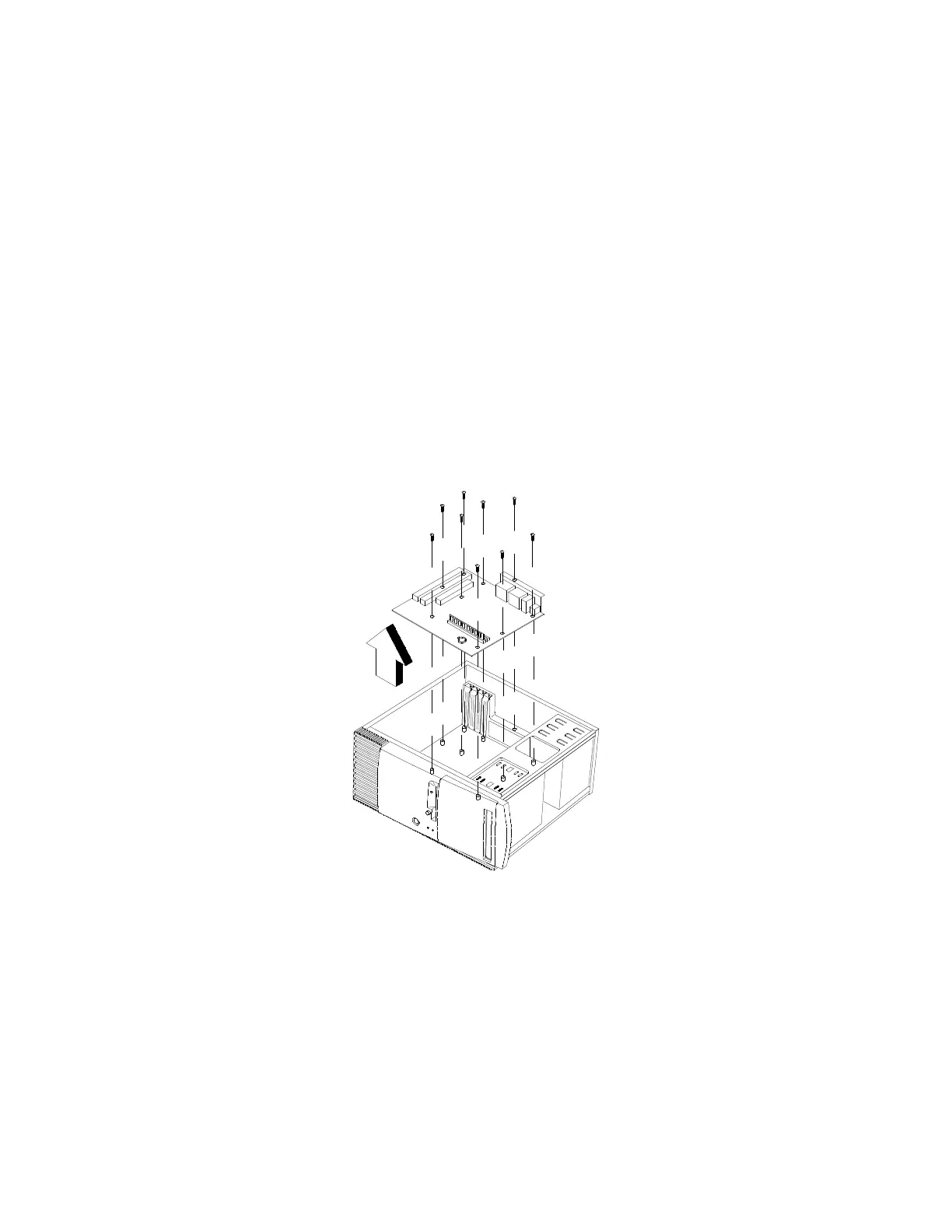
System Board
•
Remove all adapter cards.
•
Disconnect all cables connected to the system board.
•
Remove the screws securing the system board to the chasis.
•
Lift the system board to remove from chasis.
•
Remove memory (DIMM) if applicable.
•
Remove processor if necessary.
Figure 4- 25 Removing the system board


 To Next Page