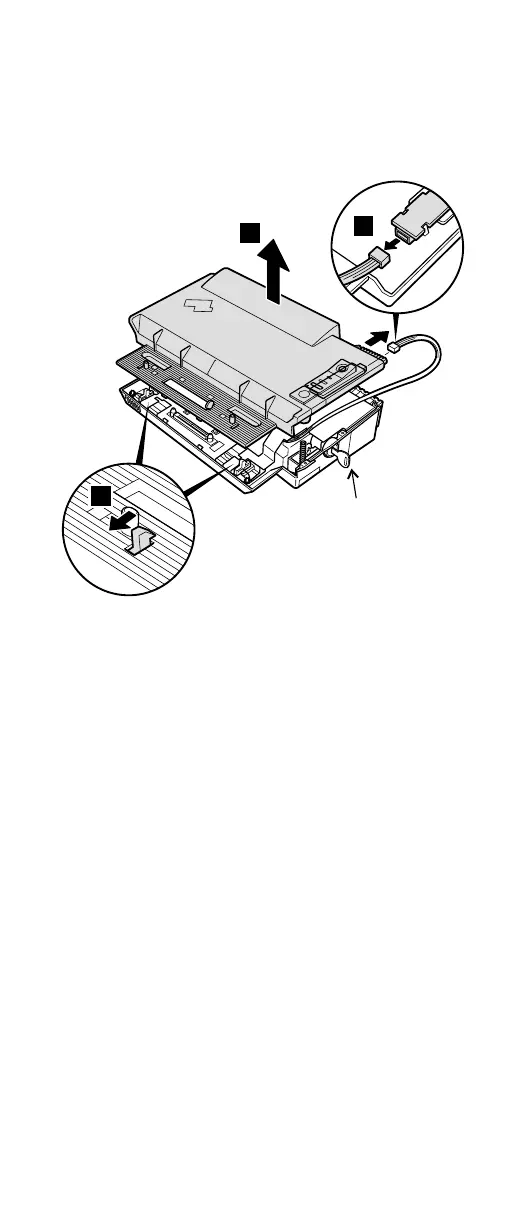
Make sure that the system lock key A is set to the Unlock
position. Release the front latches in step 3, and then
remove the top cover 4. For step 5, see the inside
view, shown in the circle.
5
4
3
A
Removing and replacing a FRU
ThinkPad A30, A30p 131










 To Next Page