Repositioning a leader pin
Edit online
Procedure for repositioning a leader pin.
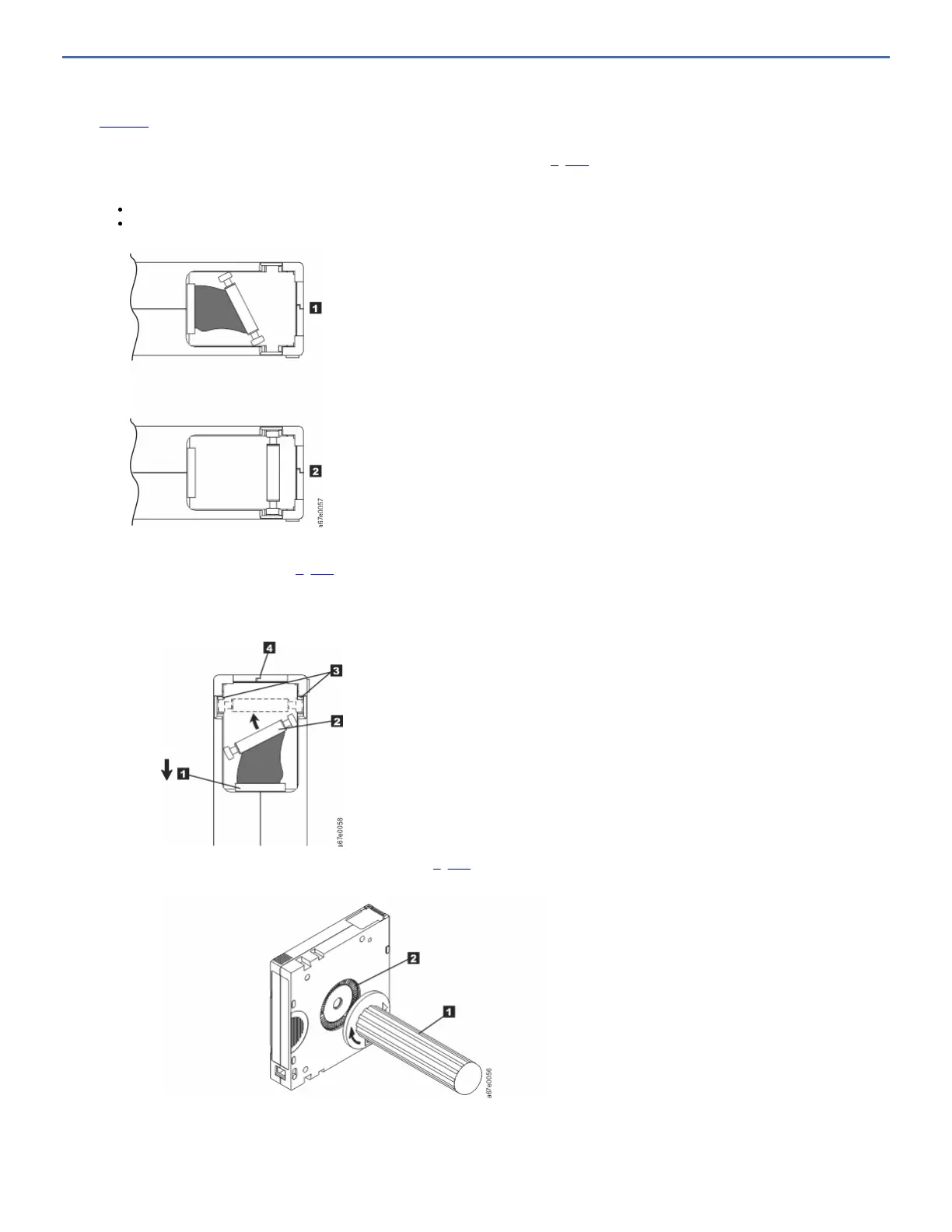
A leader pin that is improperly seated inside a cartridge interferes with the operation of the drive. Figure 1 shows a leader pin in the incorrect 1 and correct 2 positions.
To place the leader pin in its proper position, you need the following tools:
Plastic or blunt-end tweezers
Cartridge manual rewind tool (from Leader Pin Reattachment Kit, part number 08L9129)
Figure 1. Leader pin in the incorrect and correct positions. The cartridge door is open and the leader pin is visible inside the cartridge.
To reposition the leader pin:
1. Slide open the cartridge door (1 in Figure 2) and locate the leader pin 2 (you might need to shake the cartridge gently to roll the pin toward the door).
2. With plastic or blunt-end tweezers, grasp the leader pin and position it in the pin-retaining spring clips 3.
3. Press the leader pin gently into the clips until it snaps into place and is firmly seated.
4. Close the cartridge door.
Figure 2. Placing the dislodged leader pin into the correct position. The cartridge door is open to show the leader pin.
5. To rewind the tape, insert the cartridge manual rewind tool (1 in Figure 3) into the cartridge 's hub 2 and turn it clockwise until the tape becomes taut.
Figure 3. Rewinding the tape into the cartridge
6. Remove the rewind tool by pulling it away from the cartridge.
7. If you suspect that the cartridge was mishandled but it appears usable, copy any data onto a good cartridge immediately for possible data recovery. Discard the
mishandled cartridge.



 To Next Page