Note: The drive automatically ejects an expired cleaning cartridge.
The IBM LTO Ultrium Cleaning Cartridge is valid for 50 uses, and then must be replaced.
Cleaning the tape drive
Edit online
Clean the exterior surface of the tape drive with a damp towel. If a liquid all-purpose cleaner is used, apply it to the towel. Do not spray the tape drive.
Do not clean the interior of the tape drive; it might damage the drive.
Tape Drive Status web page
Edit online
The status of the tape drive is accessible from the tape drive’s Ethernet port. The drive status can be viewed only. The status cannot be changed from the Tape Drive
Status web page. The tape drive status is available when the drive is operating or idle (the drive must be powered on).
Procedure
1. Connect the host computer or a laptop to the tape drive’s Ethernet port (RJ45 connector) with an Ethernet patch cable.
Important: The Ethernet port is for Service only. Do not connect the customer network to Service ports.
2. With a web browser, connect to http://169.254.0.3 to view the current tape drive status on an HTML web page. (If the drive’s IP address was changed, use that
address instead.) The web page is static, so it must be refreshed frequently to show the current drive status.
What to do next
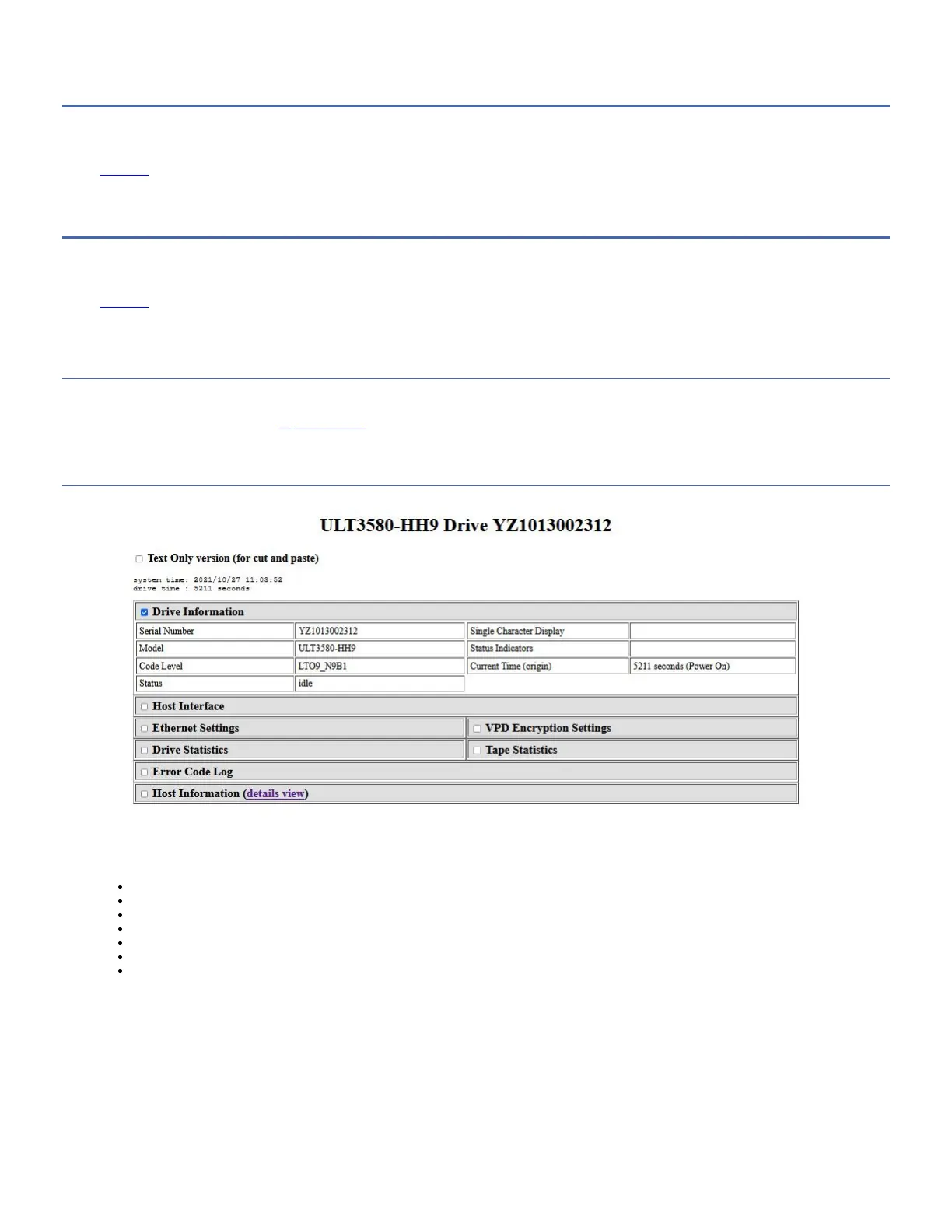
Figure 1. Drive Status web page
The tape drive model and serial number are shown at the top of the page.
The web page is divided into sections by topic. The topics are:
Drive Information
Host Interface
Ethernet Settings
VPD Encryption Settings
Drive Statistics
Tape Statistics (if a cartridge is loaded in the tape drive)
Engineering Error Log
Click in the box by the title of the section to see the topic details.
Figure 2. Drive Status web page - topic details



 To Next Page