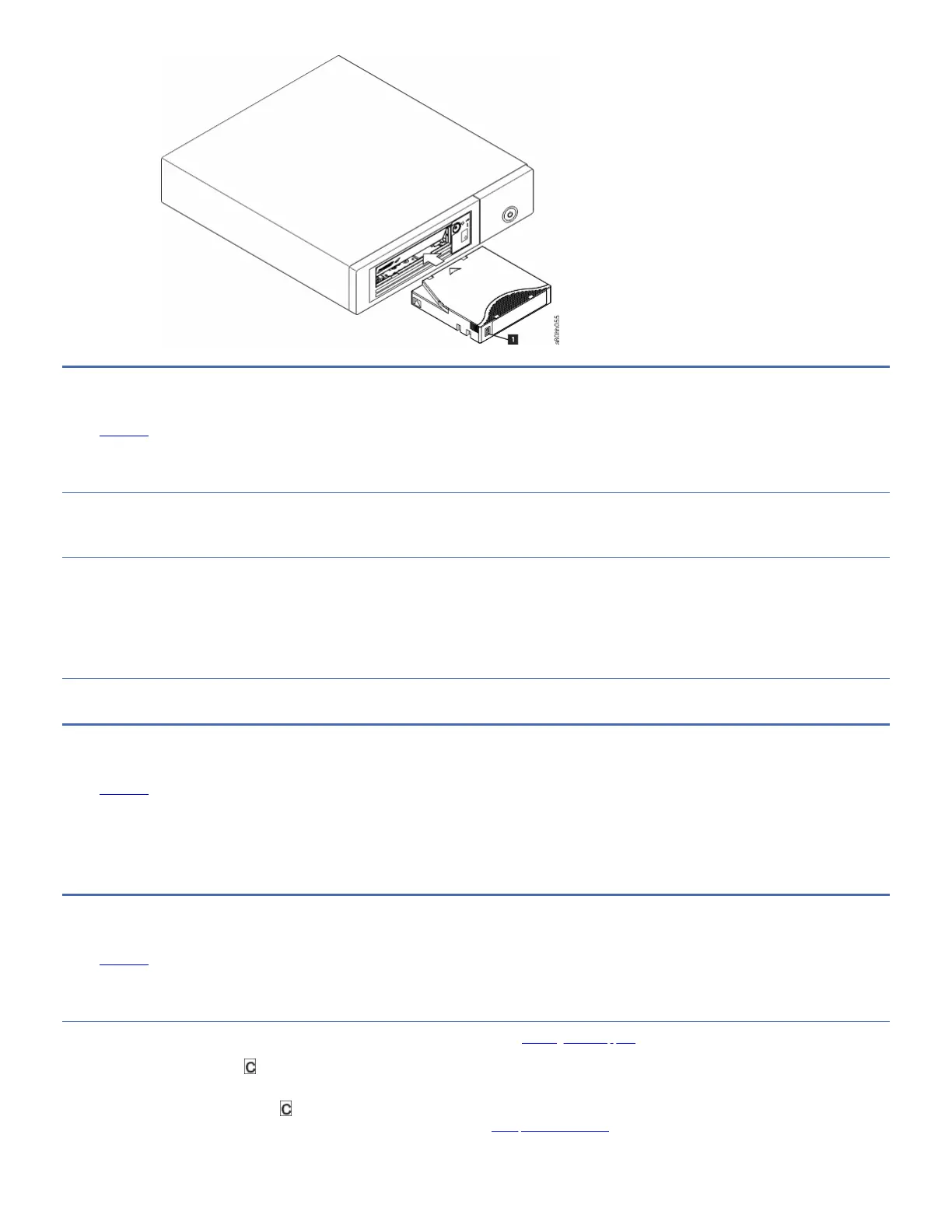
Removing a tape cartridge
Edit online
Several steps for removing a tape cartridge.
About this task
To remove a tape cartridge:
Procedure
1. Ensure that the drive is powered-on.
2. Press Unload. The drive rewinds the tape and partially ejects the cartridge. The Ready light flashes while the tape rewinds, then goes out before the cartridge
partially ejects.
3. After the cartridge partially ejects, grasp the cartridge and remove it.
Important: Always remove an ejected cartridge before it is reinserted.
Results
Whenever you unload a tape cartridge, the drive writes any pertinent information to the cartridge memory.
Mid-tape recovery
Edit online
If a reset occurs while a cartridge is loaded, the drive slowly rewinds the tape and ejects the cartridge.
If a power cycle occurs while a cartridge is loaded, the drive slowly rewinds the tape. The drive does not automatically eject the cartridge.
The Ready light flashes and the SCD is counting down from 9 to 0, indicating the approximate cartridge rewinding status. Between the counts, the SCD displays random
segments while the tape is rewinding into the cartridge. Push Unload to eject the cartridge when the Ready light stops flashing.
Cleaning the drive head
Edit online
Use an IBM® Ultrium cleaning cartridge to clean the tape drive head.
About this task
Attention: When the drive head is cleaned, use the IBM LTO Ultrium cleaning cartridge (see Ordering media supplies). You might use another LTO cleaning cartridge, but it
might not meet the standards of reliability that is established by IBM.
Clean the drive head whenever displays on the Single-character Display (SCD) and the Fault light is flashing once per second. It is not recommended that you clean the
drive head on a periodic basis; only when the drive requests to be cleaned.
Note: In Maintenance mode, a flashing with the Fault light On, means to insert a cartridge, not to clean the drive head.
To clean the head, insert the cleaning cartridge into the tape load compartment (see Front panels of the drives). The drive completes the cleaning automatically in less
than 3 minutes, then ejects the cartridge. The drive completes a short load/unload test while the cartridge is ejected. Wait for the drive to finish before the cartridge is
removed.



 To Next Page