DX8
Dual Balance Charger/Discharger/DC Power
Modifying Running Program’s Parameters
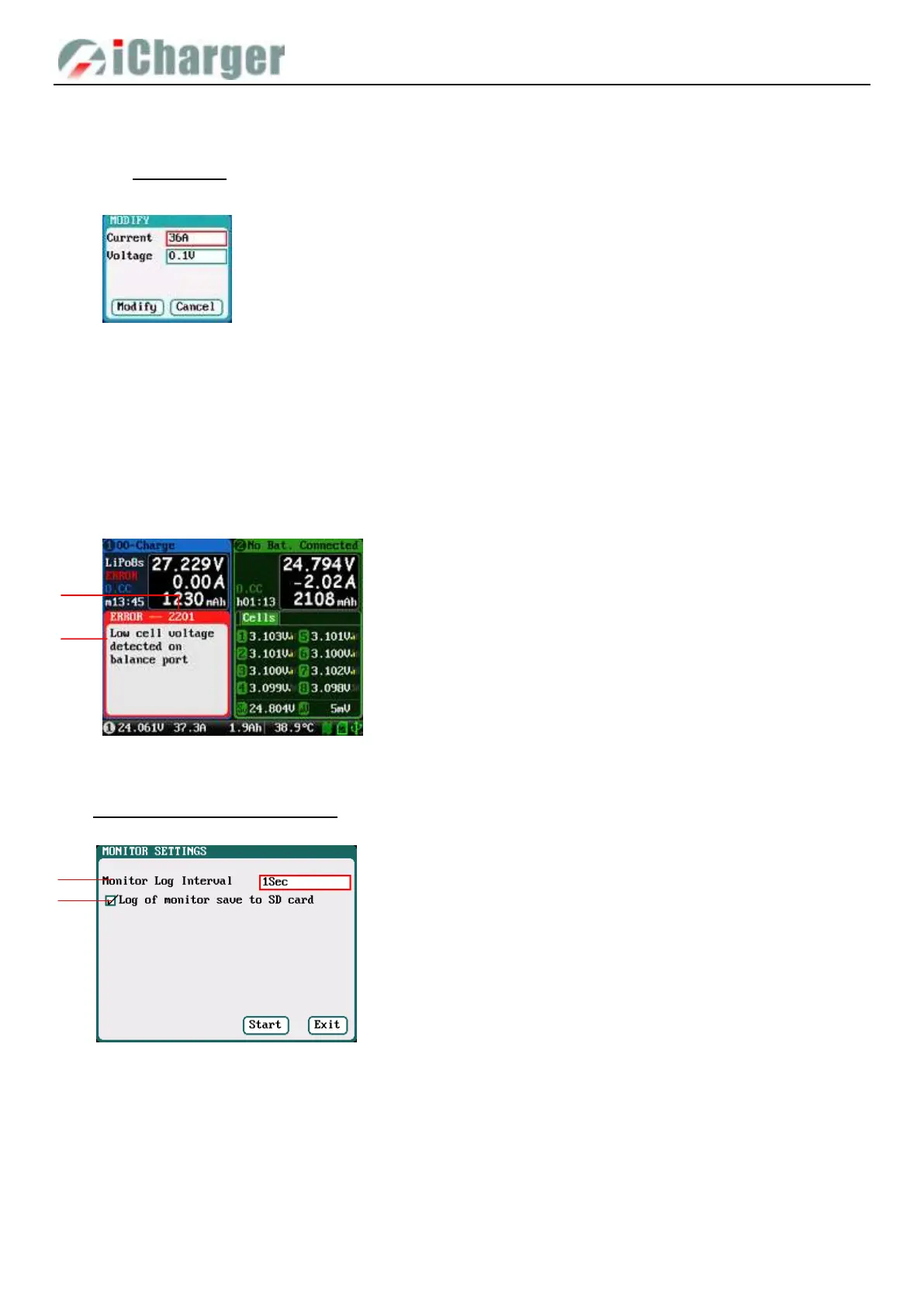
Long press <STATUS-x> button when running program to pop up MODIFY interface, to modify the current and discharge
voltage parameters online, as below:
Stop Running Program
Press <STOP/START-x> button when running program to stop running, and press <STOP/START-x> button again to
return to the initial interface.
Error Messages
During the running program, if the system detects an error, it will stop running the program on the channel immediately and
pop up the red dialog box and the buzzer alarms, as below:
Monitor Settings
Press < STATUS-x>+< STOP/START-x> at the same time for 2 seconds under initial interface, it will pop up blow
window.
Press “Start” button to start Monitor interface
Internal Resistance Measurement
DX8 can measure the internal resistance of the battery but the data accuracy is not high. It’s greatly affected by the number
of battery strings, detection current and other factors. During charging or discharging, it automatically started the internal
resistance measurement every 1 minute
1. Monitor log intervals: 0.5-60s default: 1s
2. Log of monitor save to SD automatically:
If checked, the monitoring log will be automatically
saved to the SD card.
1. Four options of Input Sources



 To Next Page