16
DUALWATCH/TRI-WATCH
6
■ Description
Dualwatch monitors Channel 16 while you are receiving
on another channel; Tri-watch monitors Channel 16 and the
call channel while receiving another channel. Dualwatch/tri-
watch is convenient for monitoring Channel 16 when you are
operating on another channel.
■ Operation
q Select dualwatch or tri-watch in the set mode. (p. 19)
w Select the desired channel.
e Push and hold [SCAN DUAL] for 1 sec. to start dualwatch
or tri-watch (depending on set mode setting).
• “DUAL” blinks during dualwatch; “TRI” blinks during tri-watch.
• A beep tone sounds when a signal is received on Channel 16.
• Tri-watch becomes dualwatch when receiving a signal on the
call channel.
r To cancel dualwatch/tri-watch, push [SCAN DUAL] again.
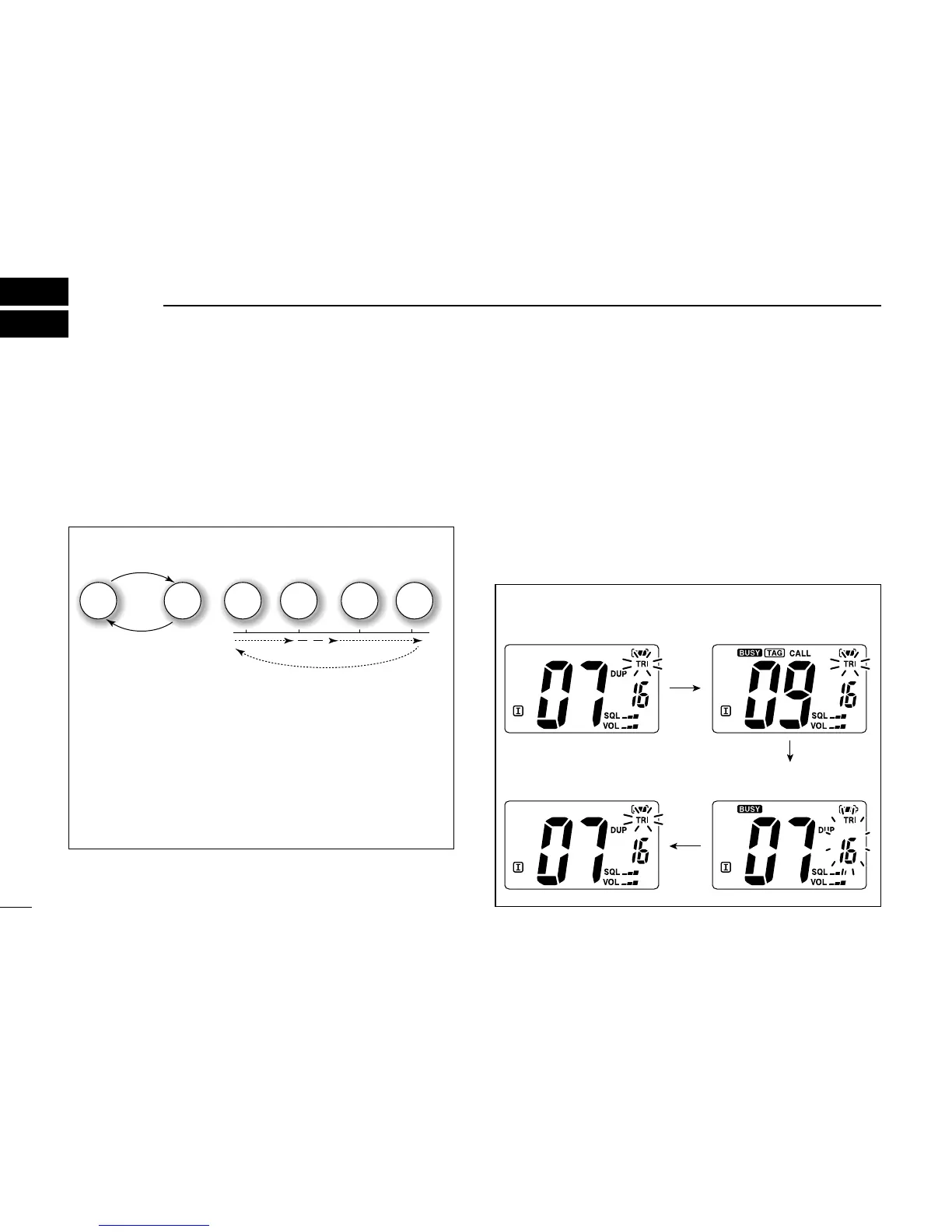
DUALWATCH/TRI-WATCH SIMULATION
• If a signal is received on Channel 16, dualwatch/tri-watch
pauses on Channel 16 until the signal disappears.
• If a signal is received on the call channel during tri-
watch, tri-watch becomes dualwatch until the signal dis-
appears.
• To transmit on the selected channel during dualwatch/tri-
watch, push and hold [PTT].
[Example]: Operating Tri-watch on INT channel 07.



 To Next Page