25
- from 91 km/h: The display shows a sad face pictogram in red and the speed in orange blinking
progressively faster.
The strobe threshold is activated at 111 km/h.
1: Threshold
Set the thresholds using the input boxes by keying the value of your choice.
Please ensure the different values are set in increasing order: threshold 1 < threshold 2 <
threshold 3 < threshold 4
2: Colour/Pictograms
For each threshold and every sequence, you can choose to display the speed in one of the 3 available
colours (green, yellow, red) or to display a sign (pictogram) or the amount of the fine. Scroll through
the different possibilities by colored circle .
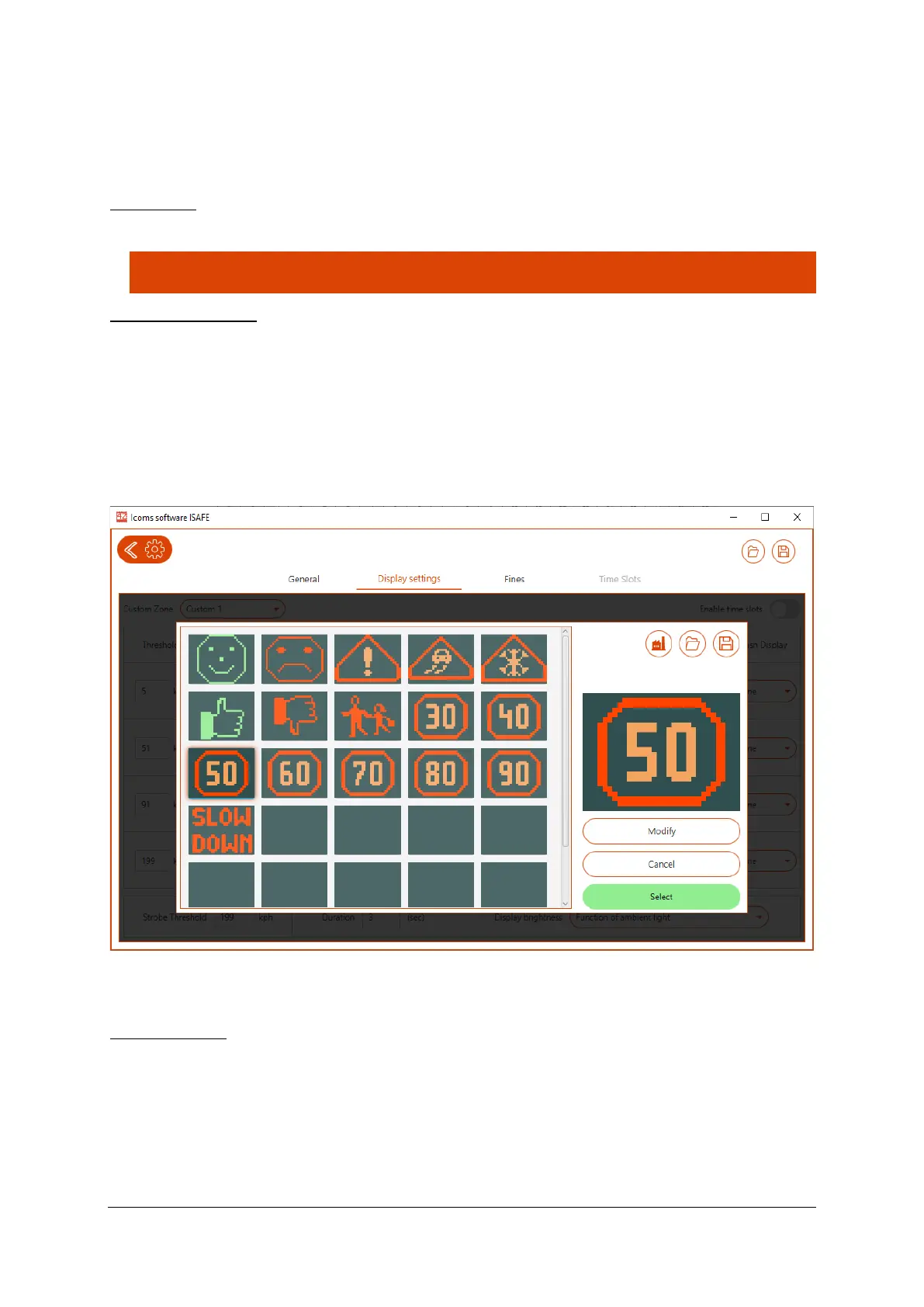
If you choose to display a pictogram, the preset pictogram shows up on the screen. You can choose
another pictogram from the library or create one yourself by clicking on the pictogram or on the pencil,
see Screenshot 7.
Screenshot 7: pictogram library for the I-SAFE 1
Click on the pictogram of your choice and then on “Select” to insert it in your setting.
Pictogram editor
With the function “Modify” you can edit the pre-recorded signs or create new ones.


 To Next Page