iData 50 User Manual
- 9 -
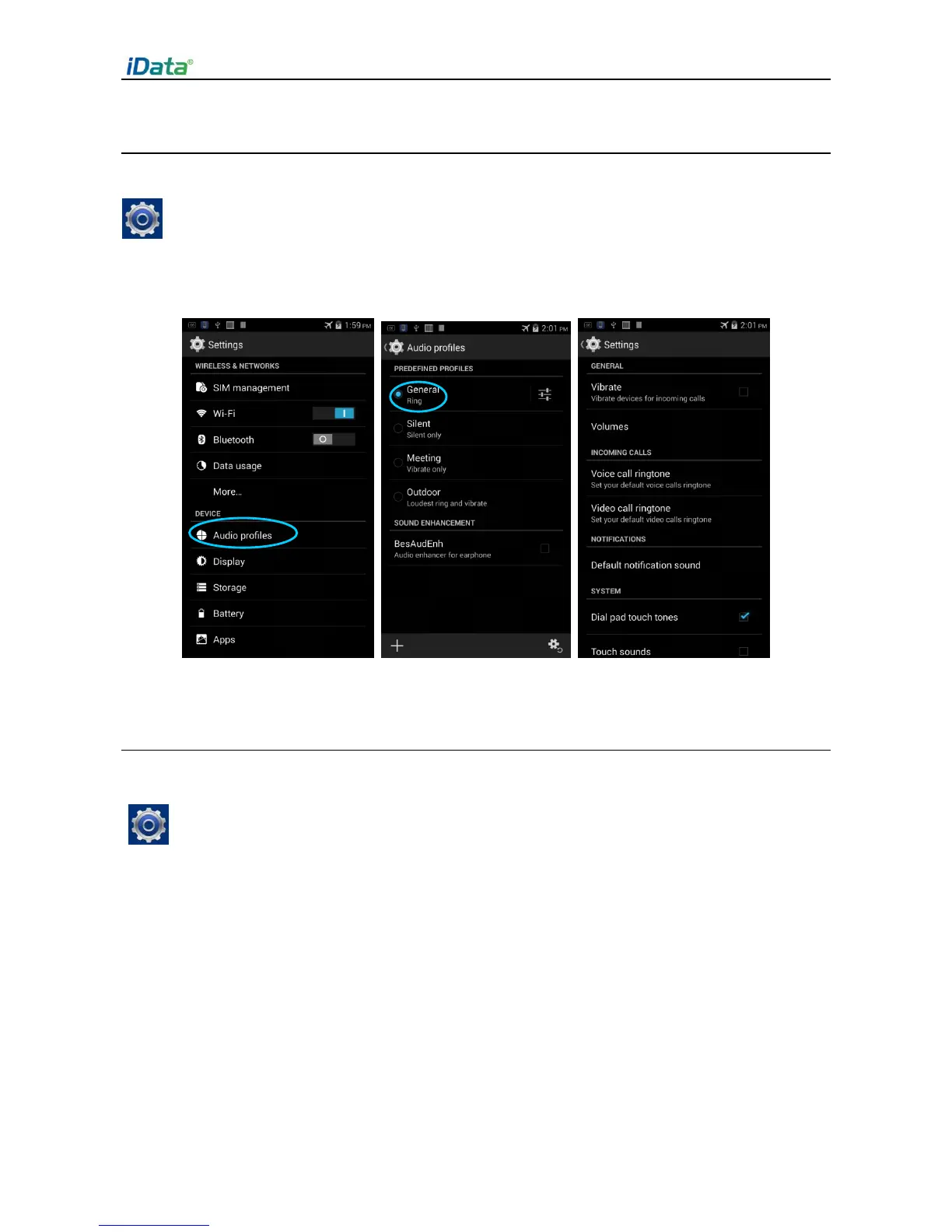
2.6.3 Ringtone Setting
1. Find the following icon.
2. Select Settings > Audio profiles > General/Silent/Meeting/Outdoor. Click different
modes and set the ringtone in the modes.
2.6.4 Security Setting
1. Find the following icon.
2. Select Settings > Backup & reset > Factory data reset.
The iData 50 starts to restore factory settings.


 To Next Page