iData 50 User Manual
- 10 -
★ Caution
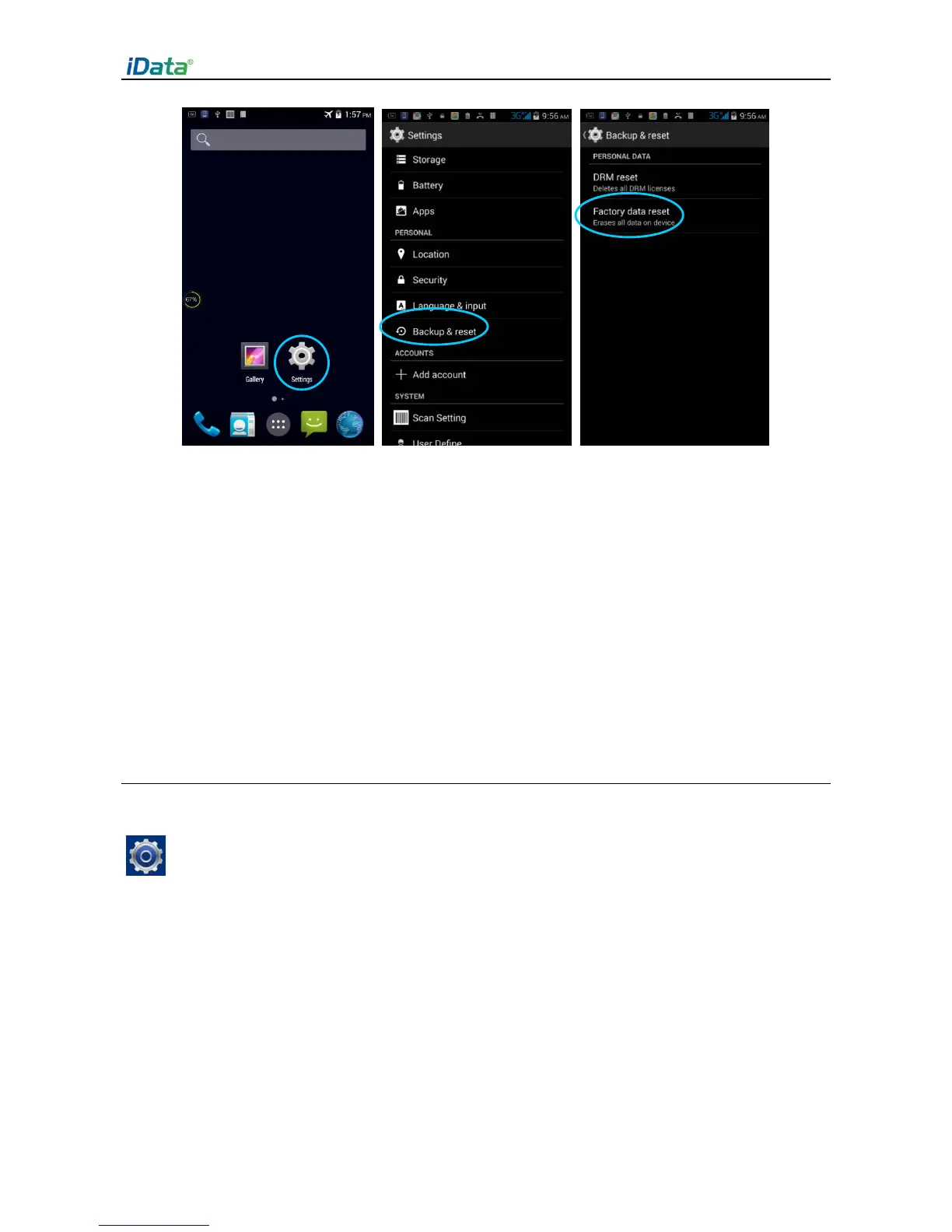
If you perform the preceding operation, the following data will be cleared:
Account
Data and settings of the system and applications
Downloaded applications
The following data will not be cleared:
Current system software and bound applications
Files in the SD card, for example, music and photos
2.6.5 Language and Input Method Setting
1. Find the following icon.
2. Select Settings > Language & input, click Language, select a language, click Default,
and select an input method.


 To Next Page