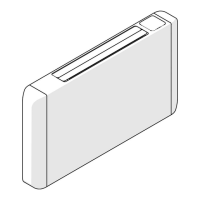
Comfosplit IKARO HW – User and Installer manual EN
© Ideal Clima - Page 47 of 68
15.4 PROGRAMMING WITH REMOTE CONTROL
Automatic
Press ON / OFF to turn on the hydronic terminal.
Press MODE to select (AUTO) on the display.
Press SPEED to select the fan speed (AUTO-LOW-MID-HIGH).
Press ON / OFF to turn off the hydronic terminal.
NB in the AUTO mode, it is not possible to select a temperature. This is why the display does not show it.
Cooling
Press ON / OFF to turn on the hydronic terminal.
Press MODE and select (COOLING) on the display.
Press SET +/- to adjust the temperature, in the field (16-32) ° C in increments of 1 ° C
Press SPEED to select the fan speed between (AUTO-MIDDLE-LOW-HIGH) on the display.
Press ON / OFF to stop the device.
Dehumidification
Press ON / OFF to turn on the hydronic terminal.
Press MODE and select (DRY) on the display.
Press SET +/- to adjust the temperature, in the field (16-32) ° C in increments of 1 ° C
Press SPEED to select the fan speed between (AUTO- MIDDLE -LOW-HIGH) on the display.
Press ON / OFF to stop the device.
Heating
Press ON / OFF to turn on the hydronic terminal.
Press MODE and select (HEAT) on the display.
Press SET +/- to adjust the temperature, in the field (16-32) ° C in increments of 1 ° C
Press SPEED to select the fan speed between (AUTO- MIDDLE -LOW-HIGH) on the display.
Press ON / OFF to stop the device.
Ventilation
Press ON / OFF to turn on the hydronic terminal.
Press MODE and select (FAN) on the display.
Press SPEED to select the fan speed between (AUTO- MIDDLE -LOW-HIGH) on the display.
Press ON / OFF to stop the device.
NB: In ventilation mode it is not possible to adjust the temperature setpoint and it does not appear on the
display.
Screen
Press SCREEN to turn on or off the on-board LCD display of IKARO HW. This display shows the temperature, or
error codes.
Machine Stop
Press ON / OFF: Remote display will read (OFF) and the unit will stop.
15.5 MODBUS RTU
Connect the RS 485 cable to the Modbus connector with three positions, that is lifting the lid.
NB: Dimension the termination resistor according to the selected network mice.
The device can be connected as a slave to a Modbus network with a baud rate of 9600 bps, 8 data bits, no
parity, 1 stop bit.
The default Modbus address is 15.
The following functions are available:
• 0x03: read holding register
• 0x04: read input register
• 0x10: write multiple registers


 To Next Page