Answering machine settings
The SETTINGS menu lets you customise the way your
answering machine works.
To use the
SETTINGS menu:
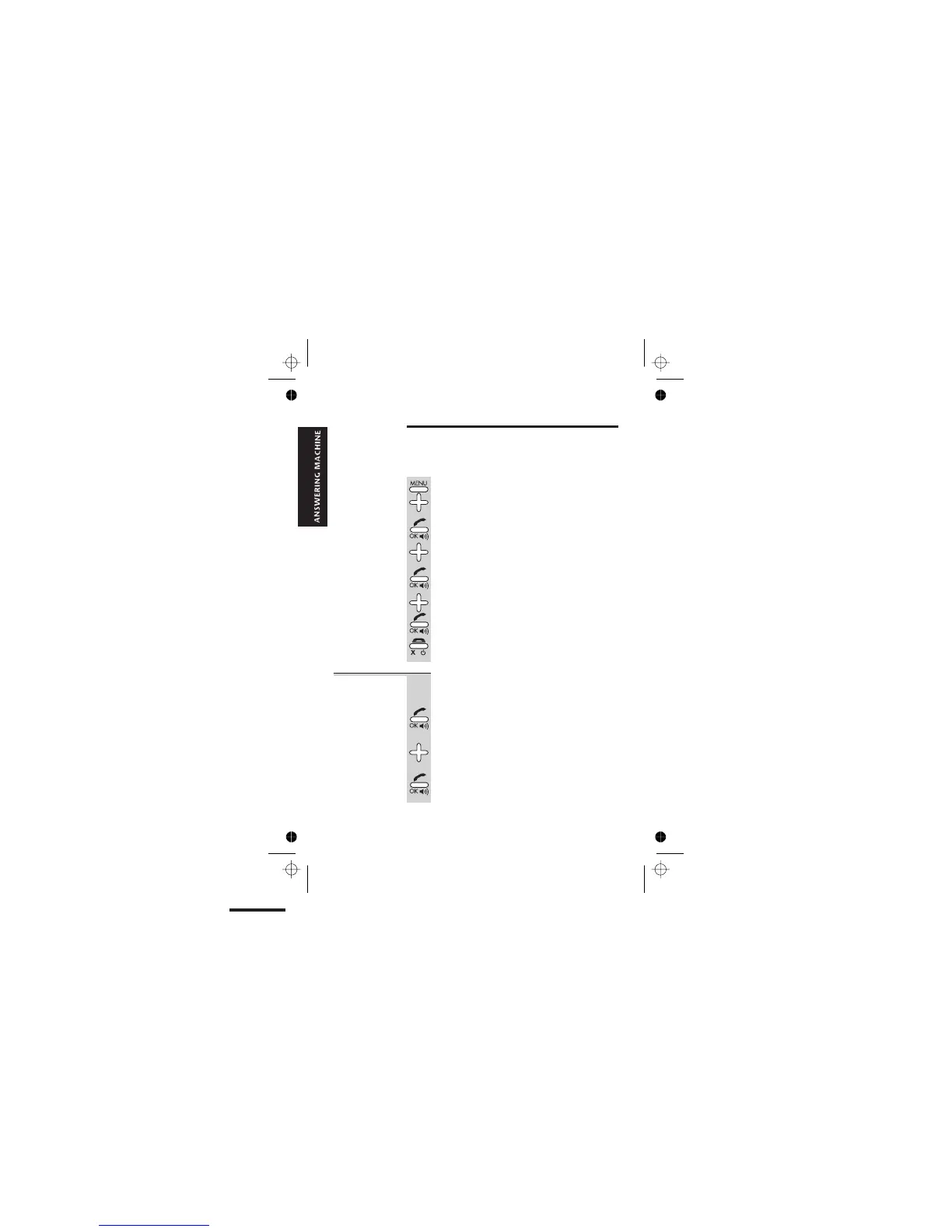
1 Press the MENU button then the â button
FOUR times
è
The display shows TAM OPERATION
2 Press the PHONE/OK button
3 Press the â button ONCE
è
The display shows SETTINGS
4 Press the PHONE/OK button
è
The display shows ICM REC TIME
5 Press the â or á button to scroll to the
option you want, then the PHONE/OK
button to select it
6 When you have finished, press the HANG UP
button to go back to standby mode
Message
recording time
By default, callers can leave a message up to
2 minutes (120 seconds) long. You can change
this to 60 seconds or ‘No limit’.
1 Press the PHONE/OK button to select
ICM REC TIME from the TAM SETTINGS menu
è
The display shows the current setting.
2 Press the â or á button to scroll to the
option you want —
60s? or 120s? or
NO LIMIT?
3 Press the PHONE/OK button to select it
E:\Binatone2006\iDECT_X1i\iDECT_X1i_UK_03.vp
12 June 2006 10:54:03
Color profile: Generic CMYK printer profile
Composite Default screen
Help Line: 0845 345 9677 (Local Call rate) 37



 To Next Page