MiniPad – rPad User Guide
11
© 2015-2017 – Identix Inc. All Rights Reserved.
3. Download a terminal emulation program like Putty. You can get it from:
http://www.putty.org/
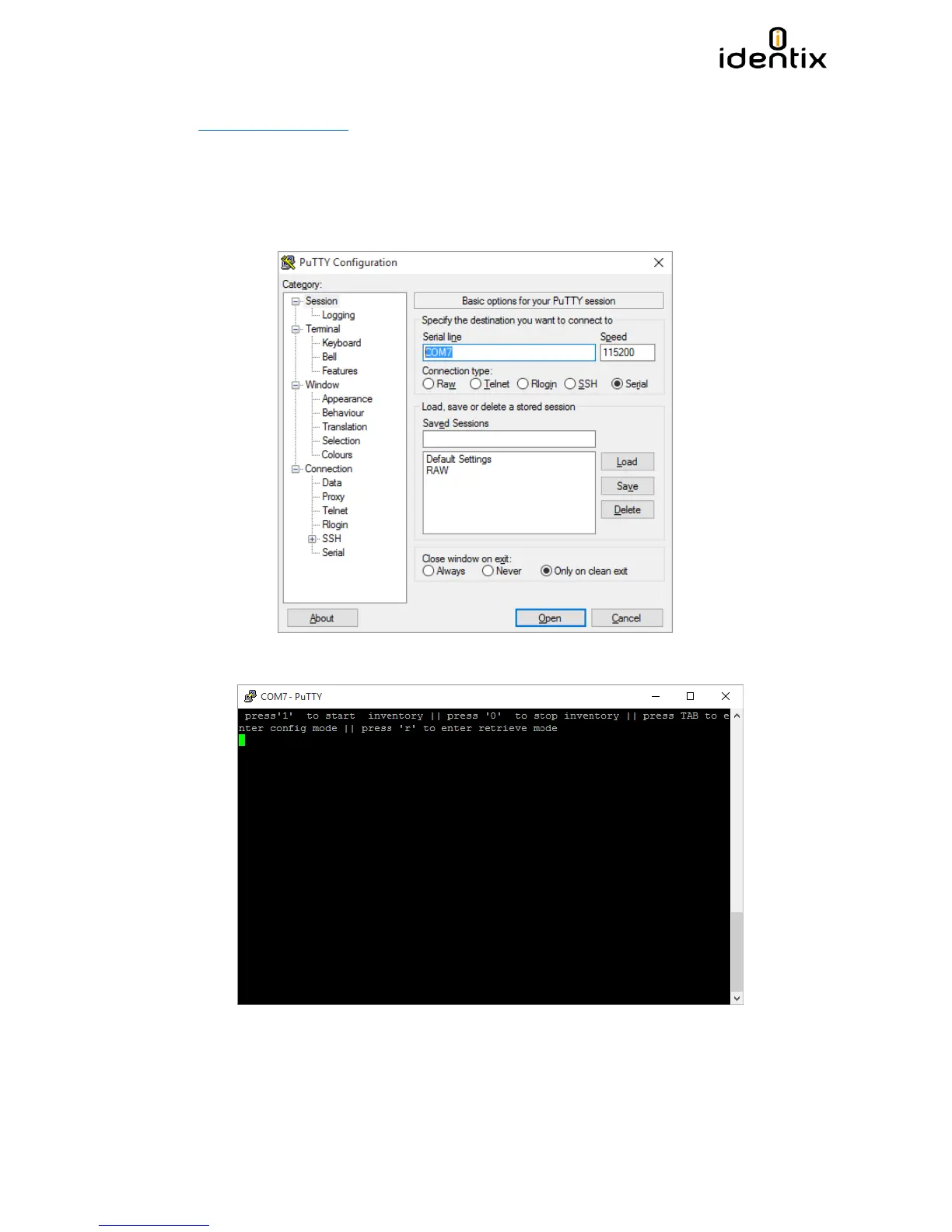
4. Execute Putty.exe and a screen like the following one will be displayed.
a. Select the COM virtual port
b. Set the Speed to 115.200 Bps
c. Set the Connection type to “Serial”
d. Hit the “Open” button
5. Once you open the connection and hit “enter” a screen like this one will be displayed.


 To Next Page