MiniPad – rPad User Guide
14
© 2015-2017 – Identix Inc. All Rights Reserved.
Inventory Search Mode
Inventory= X sets the tag inventory search mode: D for Dual Target, S for Single Target and
SS for Single Target with Suppression
• Gen2 compliant RFID tags have four logical sessions
o An inventory round operates in one and only one logical session
o The session is set by a parameter in the Query command
• Each session has an independent inventory flag
o The tag toggles the state of its inventory flag once it has been counted
o The inventory flag has two states, A or B (logical 0 or 1 respectively)
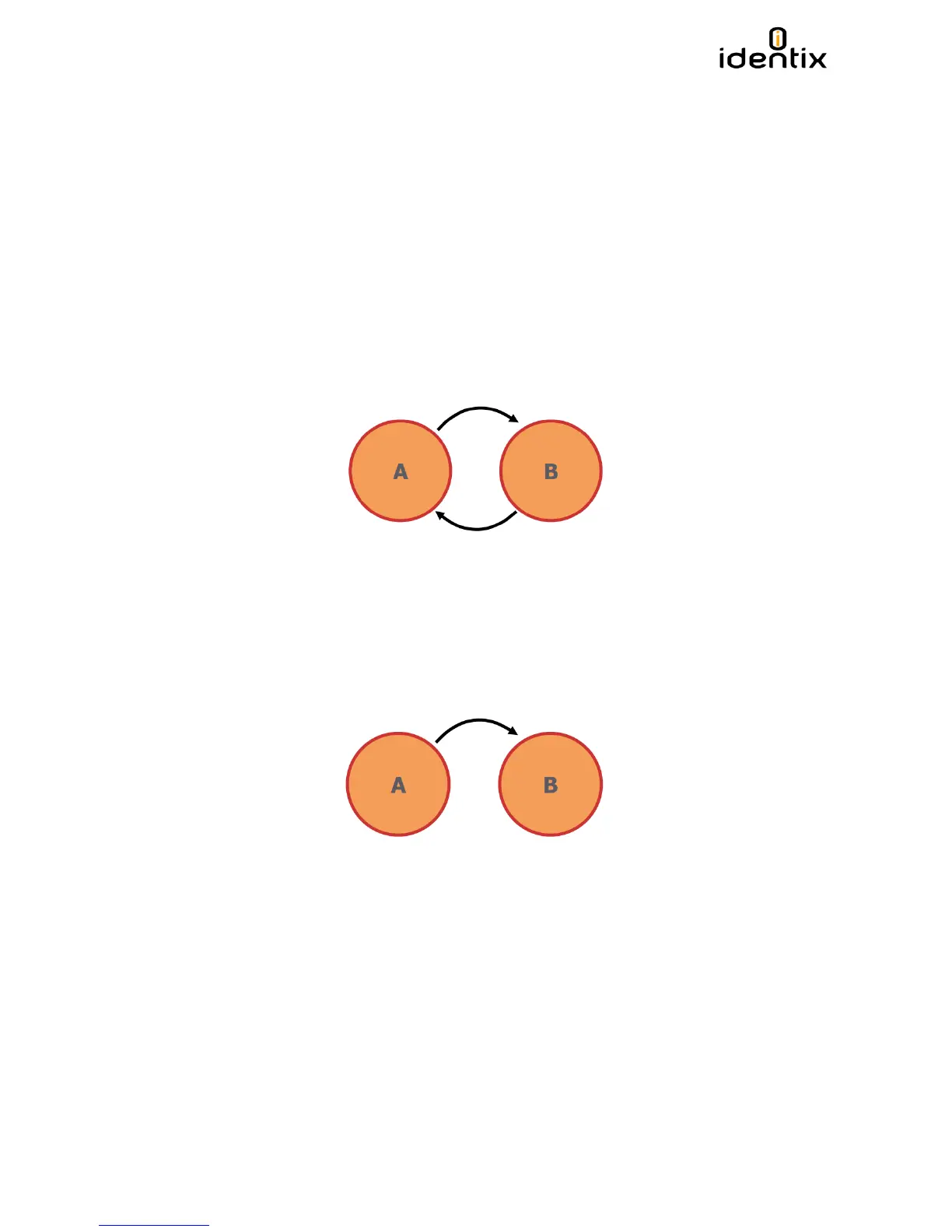
Dual Target
• Moves all ‘A’ tags into ‘B’
• Moves all ‘B’ tags into ‘A’
• Generates many, many reads
• Good for small populations or static environments
Single Target
• Moves all ‘A’ tags into ‘B’
• Reads tags once
• Allows ‘B’ tags to stay quiet
• Good for high population, dynamic environments


 To Next Page