MiniPad – rPad User Guide
35
© 2015-2017 – Identix Inc. All Rights Reserved.
Emergency recovery procedure for he RFID SIP Firmware
In the case the RFID SIP firmware update process fails and you’re no longer able to connect to the
device, you may use this procedure to reset the RFID SIP to the latest working firmware version.
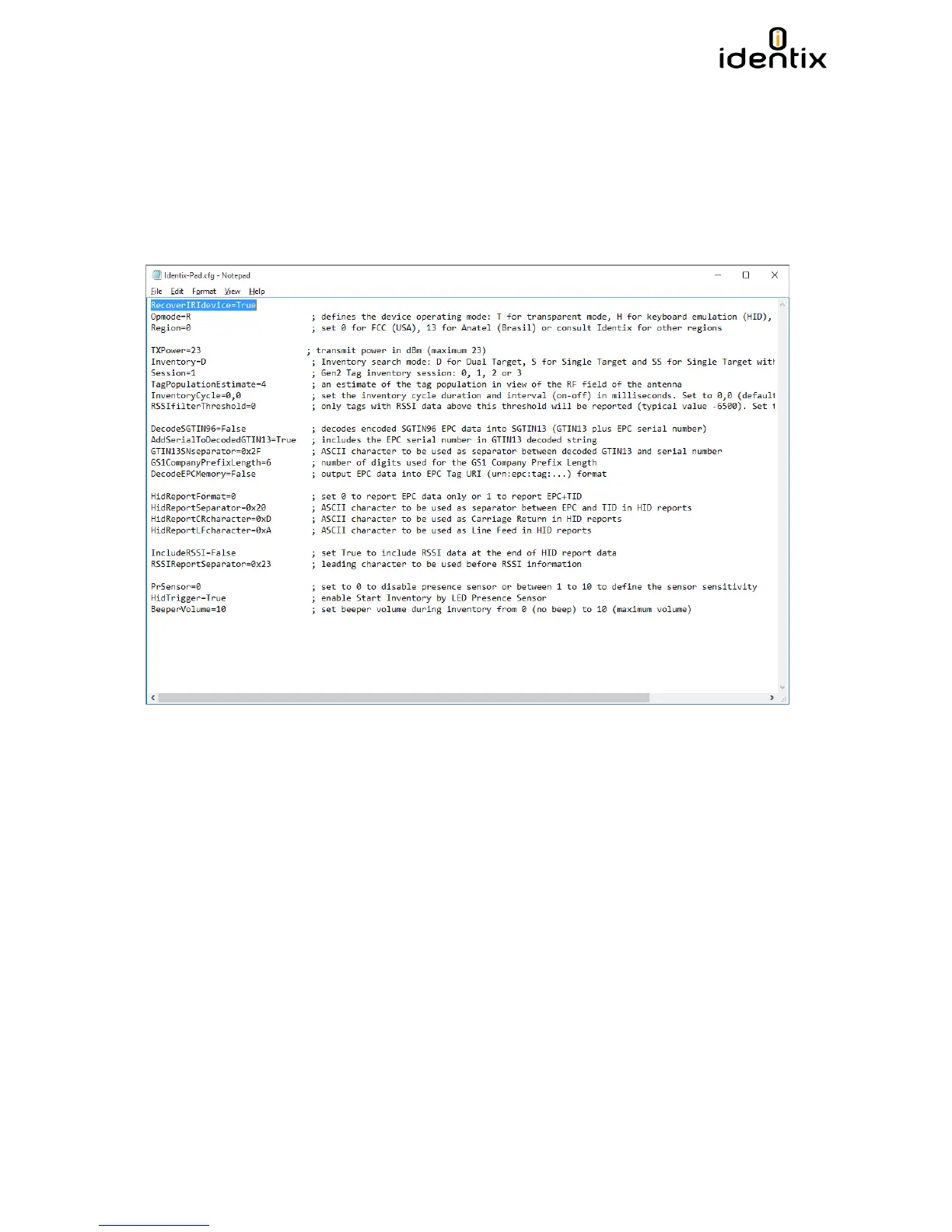
Open the Identix-Pad.cfg file located inside the “Identix” drive. Insert on the first line of the
configuration file the following statement/command: “RecoverIRIdevice=True” (without quotes).
Disconnect and reconnect the device from the computer and verify if you’re able to access the
MiniPad - rPad again.


 To Next Page