MiniPad – rPad User Guide
34
© 2015-2017 – Identix Inc. All Rights Reserved.
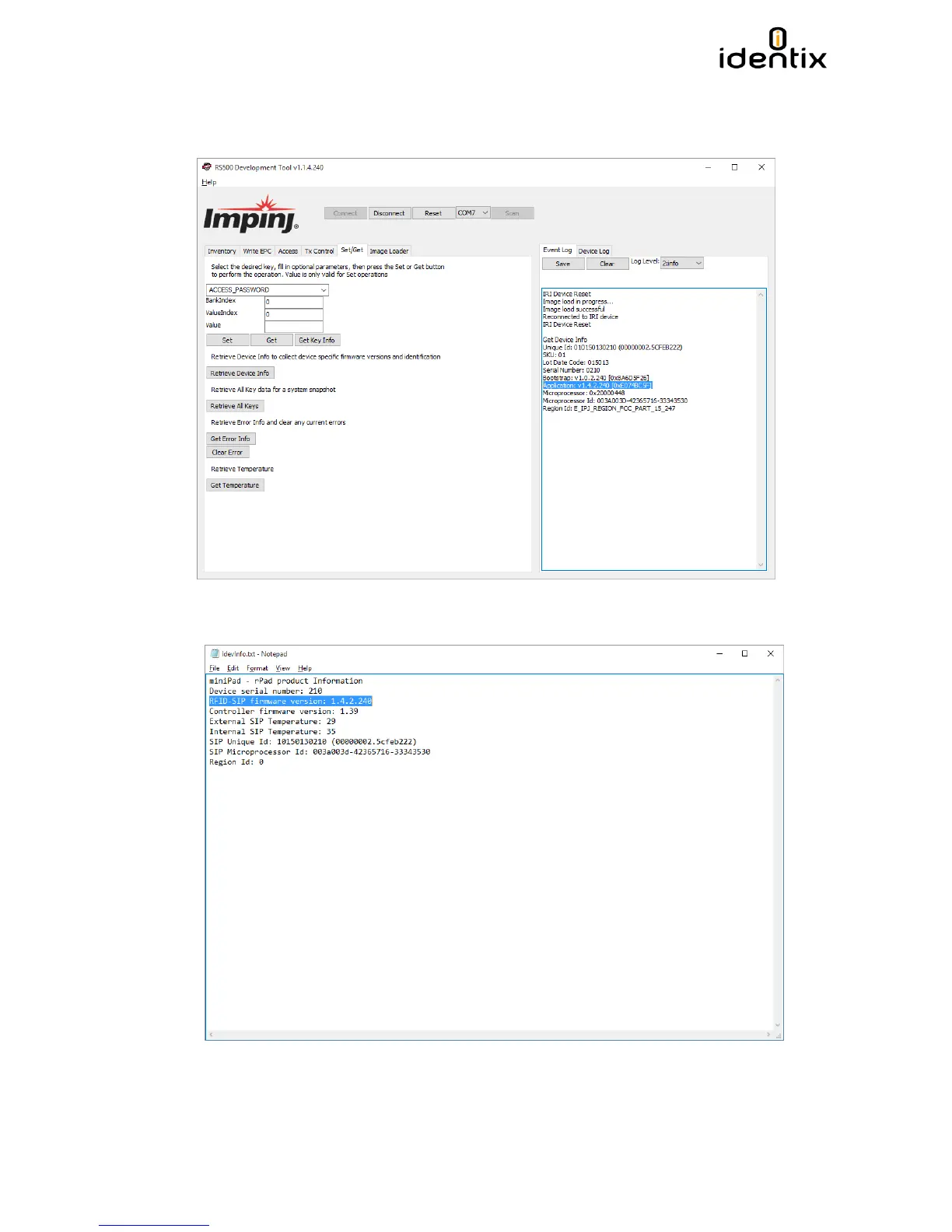
9) Now verify is the firmware was successfully updated to the desired version. Go to the
“Set/Get” tab and hit the “Retrieve Device Info” button. The current firmware of the RFID
SIP will be displayed on the right panel.
You can check also by reopening the “Idenvinfo.txt” file present on the Identix drive


 To Next Page