MiniPad – rPad User Guide
33
© 2015-2017 – Identix Inc. All Rights Reserved.
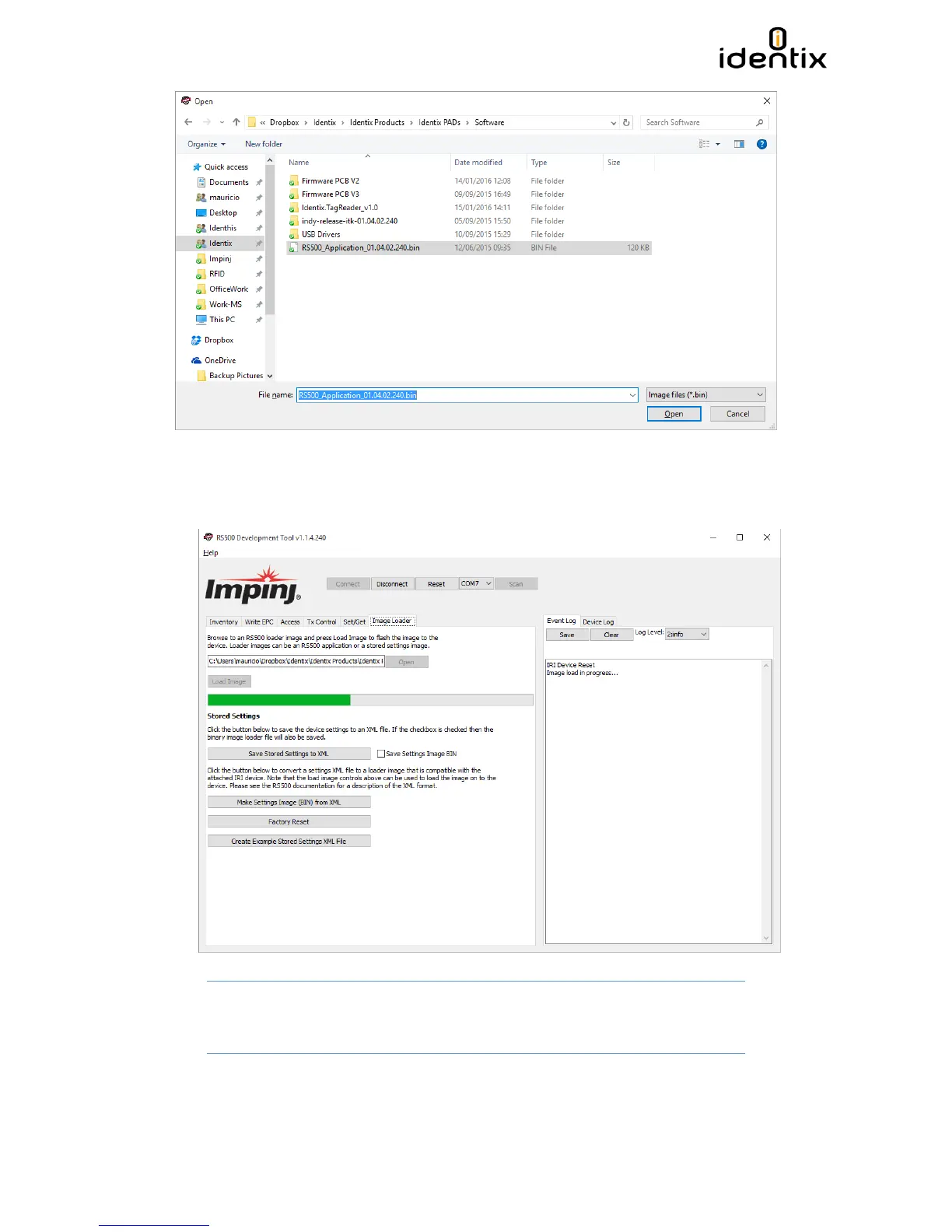
8) After selecting the desired RFID SIP Firmware file, press the” Load Image” button and the
firmware update process will begin. A progress bar will be displayed and a “Download
Completed Successfully” confirmation message will appear at the end of the update process.
Attention! DO NOT INTERRUPT this process, otherwise your device may become
permanently corrupted.


 To Next Page