MiniPad – rPad User Guide
9
© 2015-2017 – Identix Inc. All Rights Reserved.
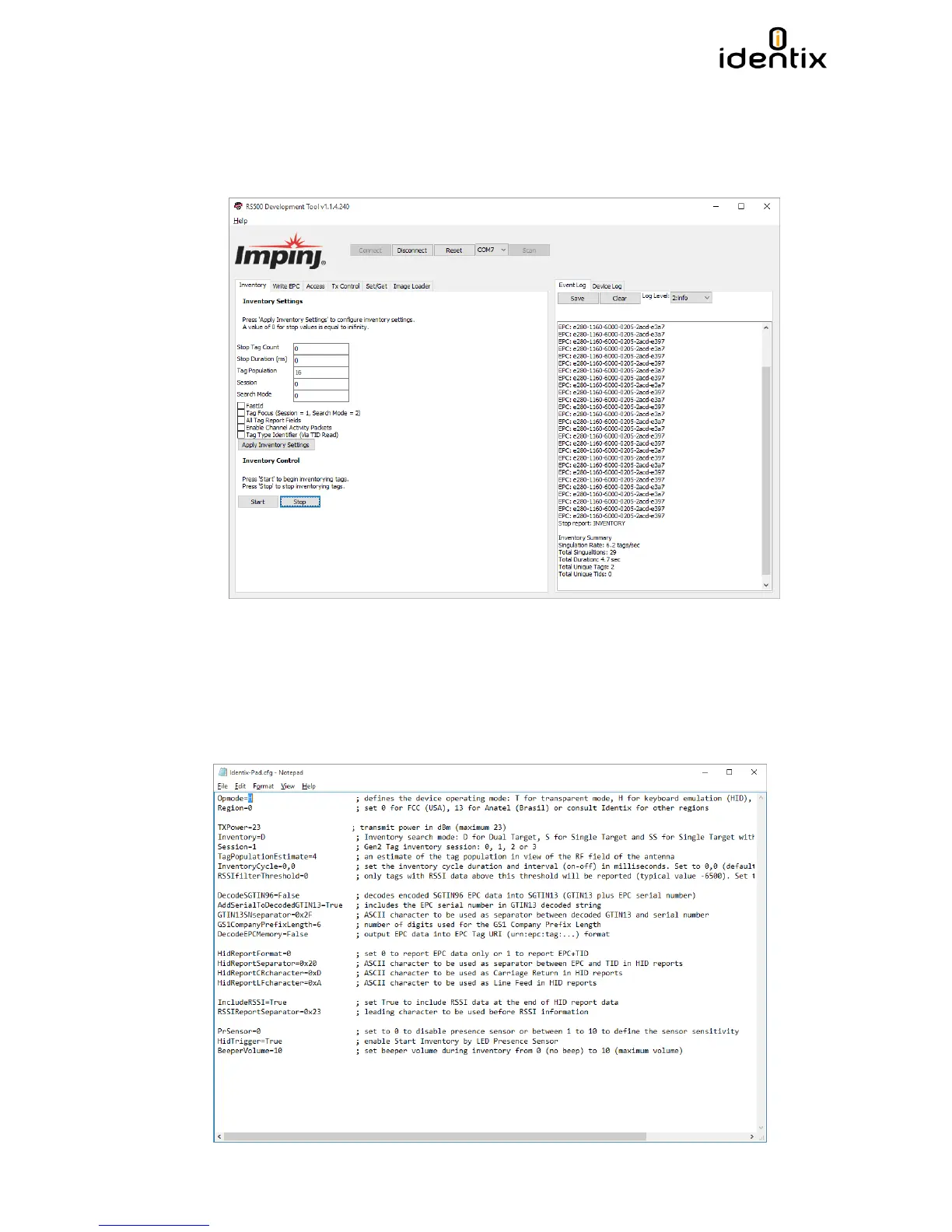
2. Under the “Inventory” tab, start an inventory by pressing the “Start” button.
3. At this point, the “Event Log” on the right-hand side of the GUI will show the stream of EPCs of the
tags that are read by the MiniPad or rPad.
4. Try moving the tag relative to the antenna, or introducing a new tag, and observe the change in the
reads displayed in the Event Log.
In HID Keyboard Emulation Mode Operation
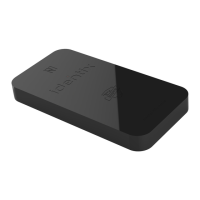
1. Configure the MiniPad / rPad reader to operate in HID Keyboard Emulation mode.
2. Open an application like Excel or Notepad.
3. Place UHF RFID tags on top of the MiniPad or rPad embedded antenna.
4. See the tags reading results at the opened application.


 To Next Page