MiniPad – rPad User Guide
24
© 2015-2017 – Identix Inc. All Rights Reserved.
Updating the “Controller Firmware” on MiniPad – rPad devices
MiniPad and rPad devices have 02 distinct firmwares with specific instructions for updating each one
of them. The first one is the “RFID-SIP” firmware (related to low level functions of the UHF Gen2
protocol) and the other one is the “Controller Firmware” (which manages the device connectivity to
the Host computer). This chapter contains specific instructions to update the “Controller Firmware”
only.
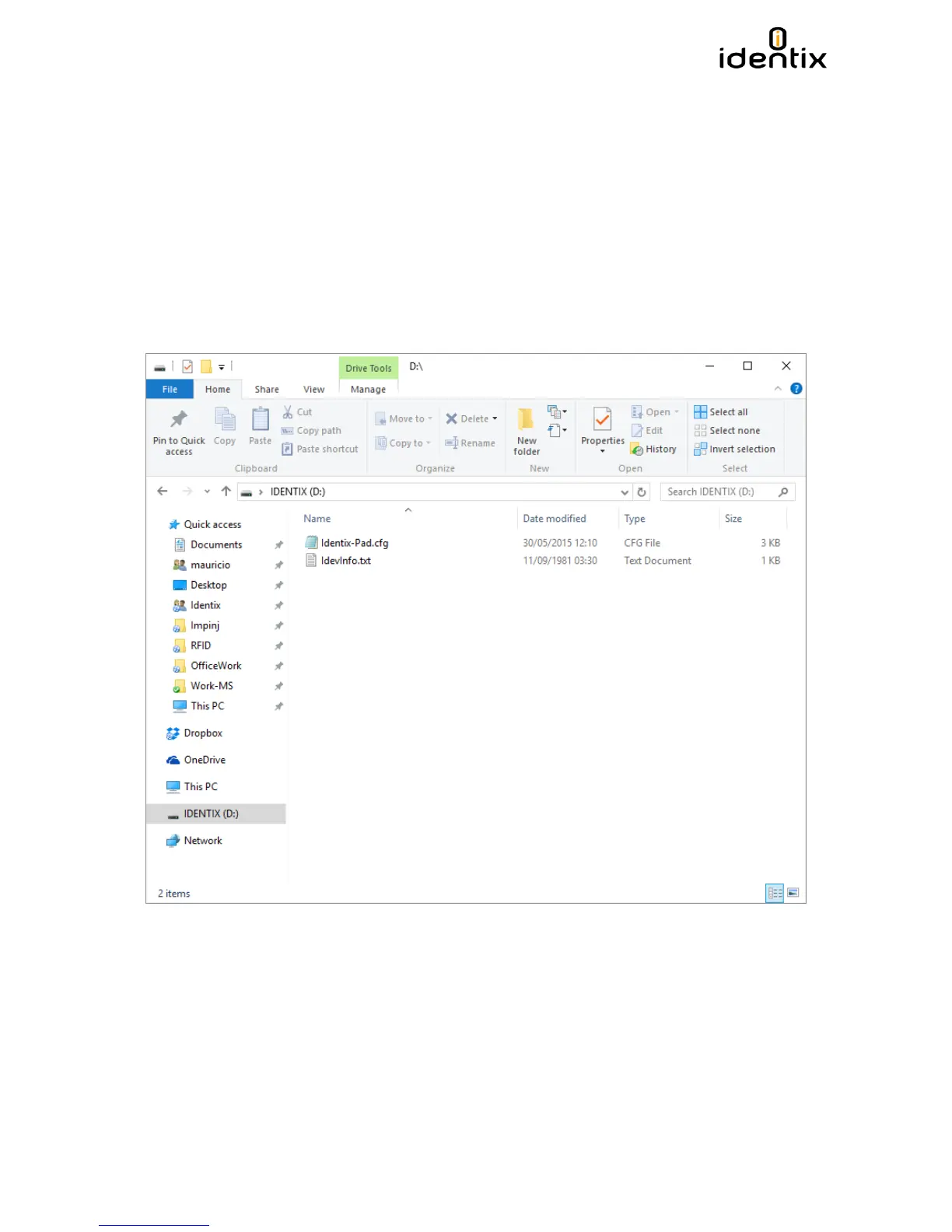
1) Open the device information file to identify the current firmware version. Connect your
device to a Windows machine and open the “Identix” drive that is automatically mounted
when you connect the device to the computer. The file that contains the device information
is named “IdevInfo.txt”


 To Next Page