Part 1 - Remote Setup
19
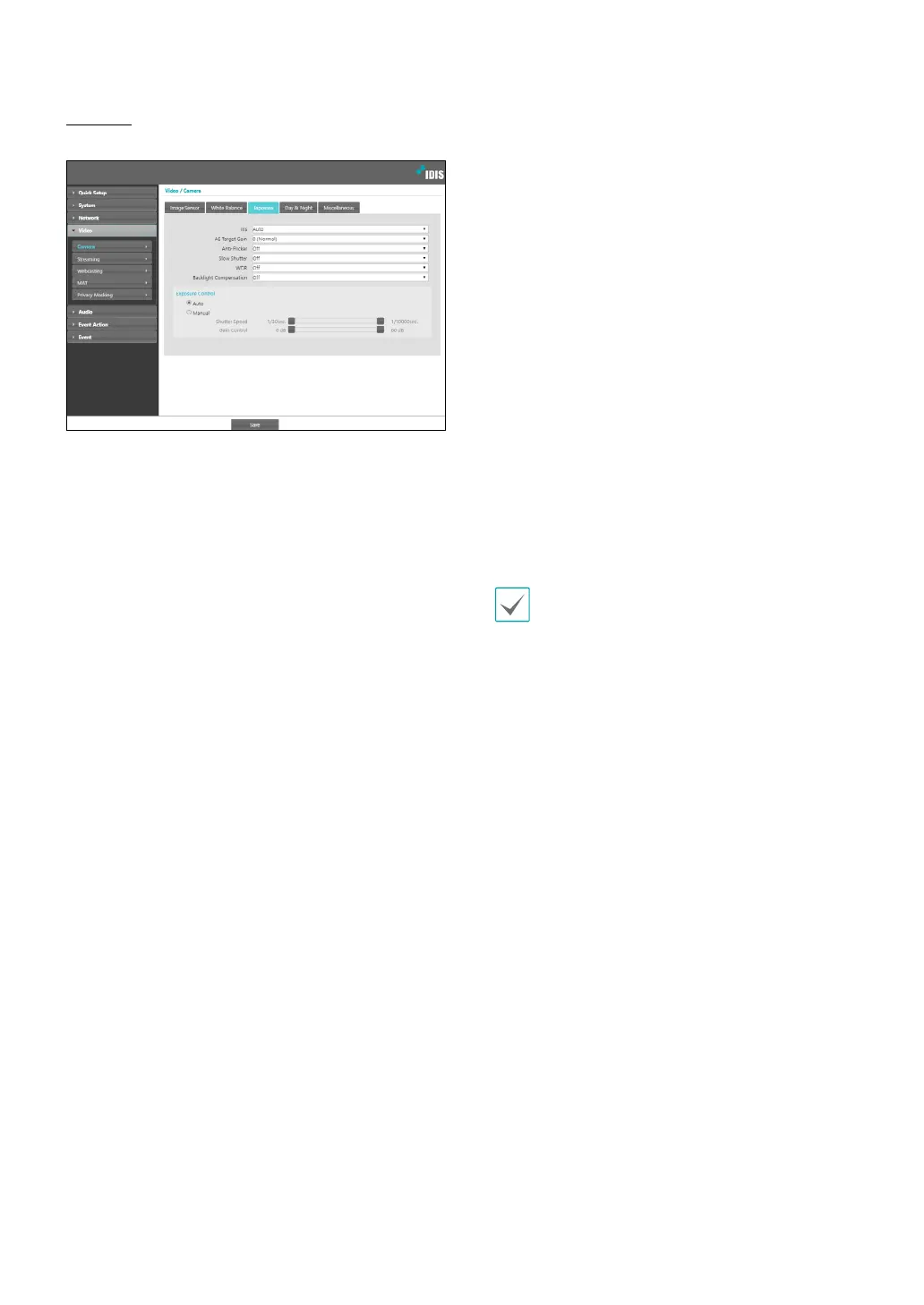
Exposure
Congure Exposure settings.
• IRIS: Adjust the openness of the lens IRIS.
- Auto: The system will assess the lighting conditions
and adjust the openness of the IRIS automatically.
- Manual: Use the slider to select the desired
openness of the IRIS. Select the most suitable value
for the lighting conditions in the area where the
camera is located.
• AE Target Gain: Specify exposure compensation’s
target gain. Exposure is compensated automatically
based on the specied target gain. Higher the gain,
brighter the images.
• Anti-Flicker: If the lights in the area where the
camera is located use alternating current, specify
the frequency of the lights to minimize ickering.
Matching the frequencies can reduce ickering.
(NTSC: 60Hz, PAL: 50Hz) When using WDR, ickering
can be present in poor environments even if Anti-
Flicker is turned on.
• Slow Shutter: Activate Slow Shutter. The electronic
shutter’s speed will decrease to the specied level
under low-lighting conditions to allow more light in
and therefore produce brighter images.
• WDR: Disables or enables the WDR(Wide Dynamic
Range). When the very dark and very bright areas
exist simultaneously on the screen, WDR allows you to
recognize the both areas.
• Backlight Compensation: Enable/disable the
Backlight Compensation feature. If using WDR,
Backlight Compensation OFF does not work.
- ON: When images are too bright overall due to
backlight, objects are exposed brighter under
backlight circumstances.
• Exposure Control: Adjust Shutter Speed and gain.
This option is available only when Anti-Flicker and
Slow Shutter are both set to O.
- Auto: The system will assess the lighting
conditions and adjust the shutter speed and gain
automatically.
- Manual: Use the slider to select the desired shutter
speed and gain. Select the most suitable minimum
and maximum shutter speeds and gains for the
lighting conditions in the area where the camera is
located.
With certain features, selecting Auto automatically
loads settings suitable for the camera's installation
environment.



 To Next Page